5 Tutorials
5.1 Configure a Model 106 Current Meter
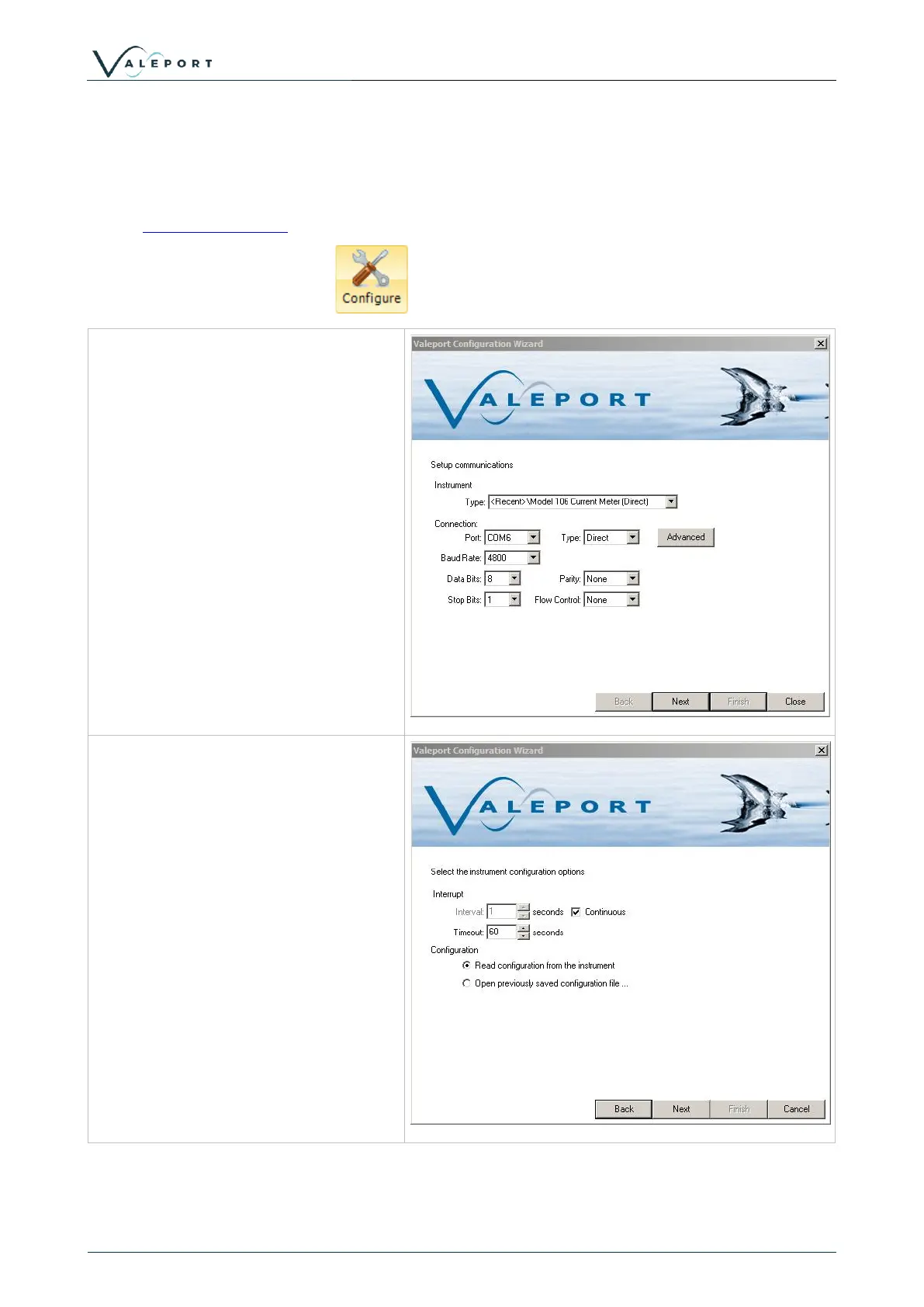
Configuration of a Model 106 current meter is via the configuration wizard, this can be accessed
via the Instrument ToolBar.
Clicking on the Configure button will invoke the configuration wizard.
Select Model 106 Current Meter from
the dropdown menu.
This will populate the connection
settings with the default setting for a
Model 106.
Select the COM port that the instrument
is connected to.
Click Next.
This will set the interrupt timeouts for
the instrument. As default DataLog X2
will attempt to interrupt an instrument
for 60s.
If the instrument is not currently
connected to the PC, or the seawater
switch is not connected if using an older
model, do so now and click next.
If the interrupt is successful, then
commands should be displayed bottom
left being sent to the instrument.
If no connection is established, check
connections and the correct com port
/baud rate is being used and try again.



 To Next Page