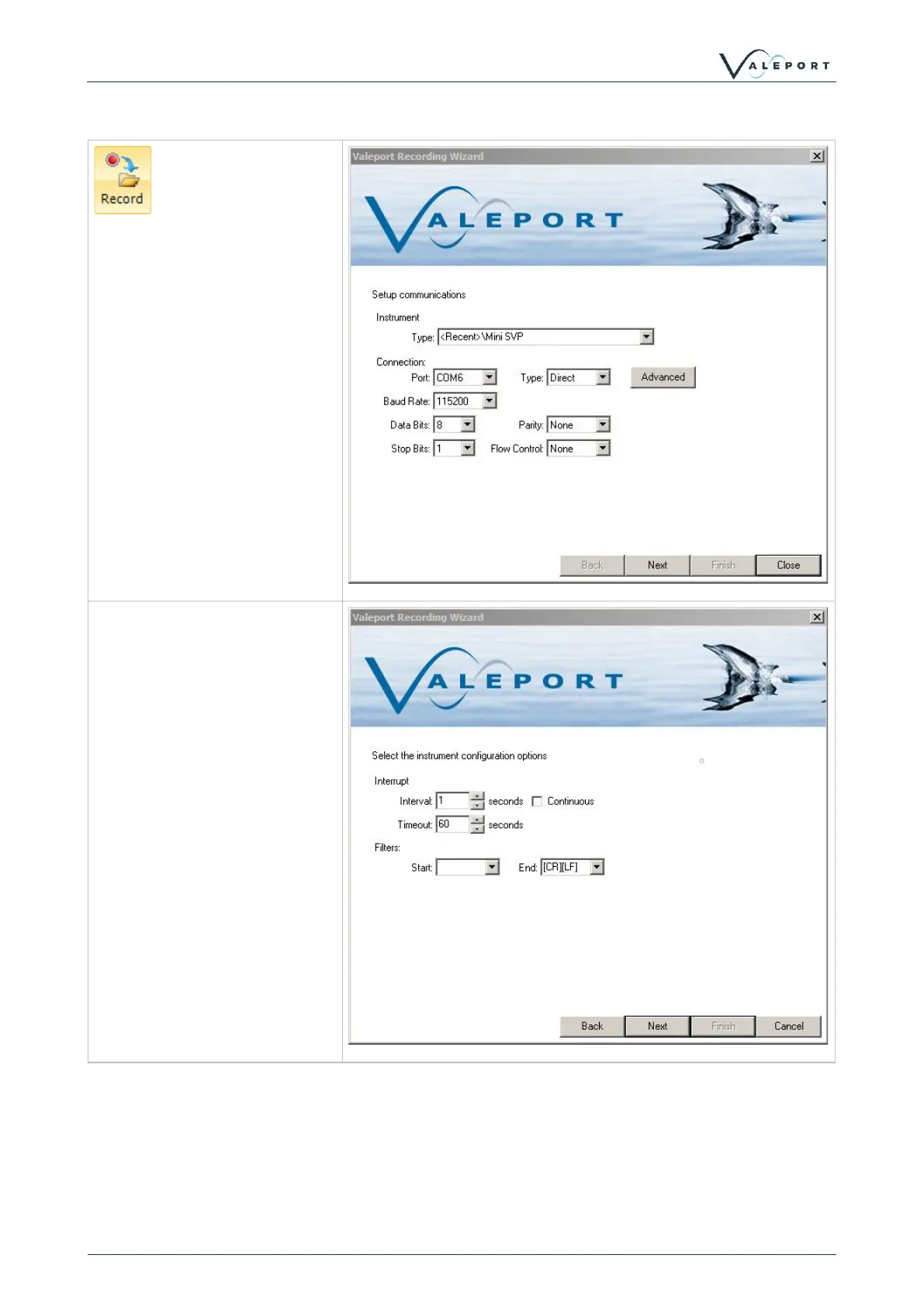
Real time data can be logged to
file with the Recording wizard.
As with the other wizards, set
up the instrument type and
communications settings.
If the instrument is not listed,
then a 'Generic Instrument' can
be selected from the dropdown
and suitable comms settings
entered.
The next screen sets the
interuppt settings, but also adds
the ability to filter the incoming
string.
For example, if an instrument
such as the TideMaster is
outputting multiple NMEA
strings such as $PVTM1 for
met, and $PVTMA for Tide, the
start filter can be set to
$PVTMA to only log the tide
data.



 To Next Page