DataLog x2 and Terminal x2 Installation and User Guide
MANUAL-1899207337-17
3.2 Establish a Connection
There are two methods of establishing a connection. When the instrument type is known and when
a generic serial connection is required.
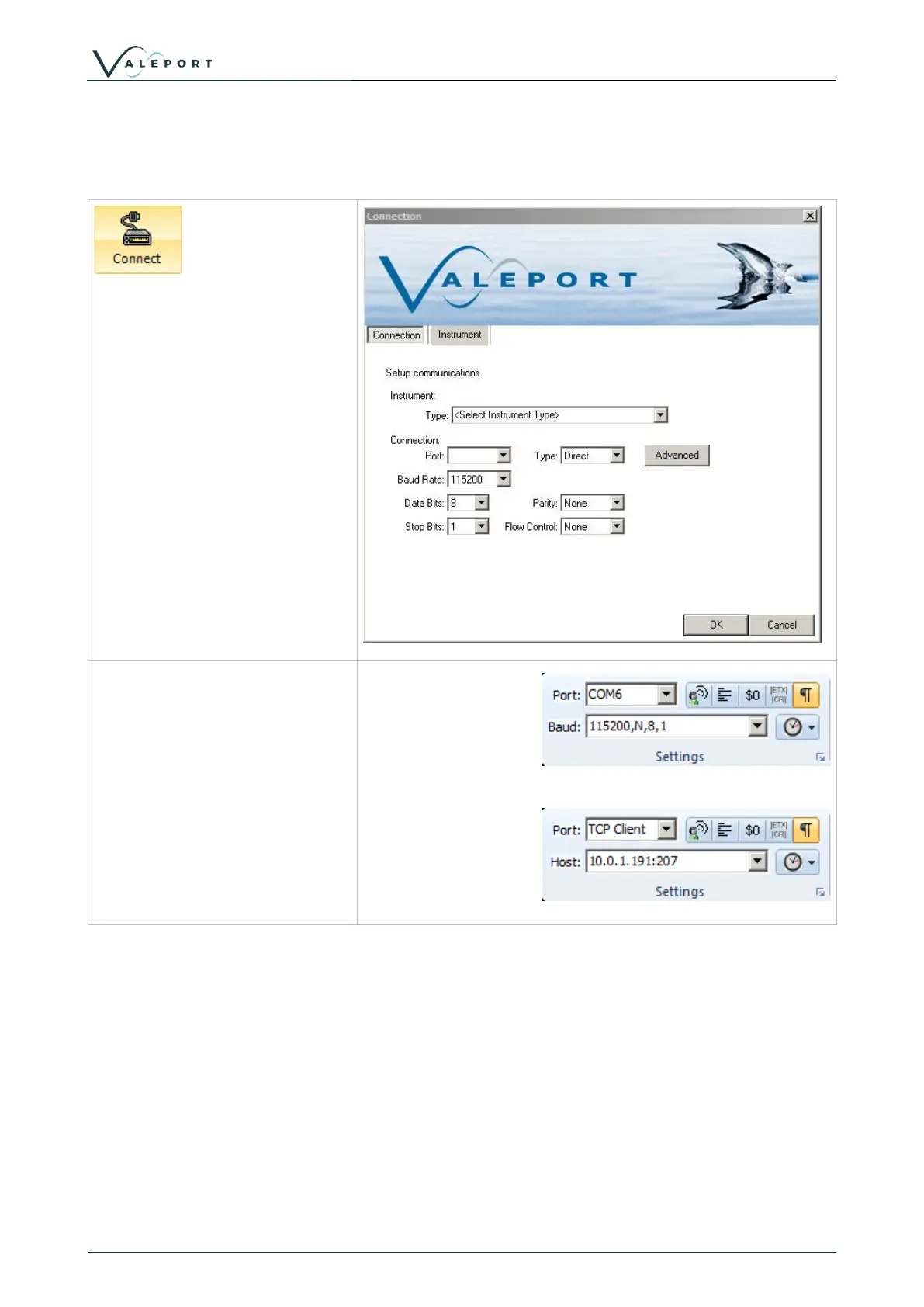
Clicking on the connect icon will
bring up the connection wizard.
The instrument type can be
selected from the drop down list.
The connection settings will
default to the factory settings for
that instrument. If these have
been changed by the user it may
be necessary to change these.
Alternatively, set the connection
up using the settings toolbar.
Once the appropriate port and
baud rate settings are selected,
press the connect icon to
establish a connection
To establish TCP-IP serial
connection, select TCP-IP port
from the drop down menu,
Enter the IP address and port in
the Host settings



 To Next Page