7 Power Saving Modes
7.1 Auto Power Saving Mode:
A mode has been implemented to save power if the SWiFT is inadvertently left switched on.
When operating in Smart Profile mode, if no activity is detected after a defined period, the SWiFT
will turn itself off. As a factory default this is set to 120 mins. This value can be changed with a
configuration code or disabled, see below.
If the SWiFT has automatically turned it off, all the status lights will be off and the switch ring will
need to be rotated two quarter turns to wake it up.
When operating in Continuous Mode, if the SWiFT is left on, it will continue to operate until the
battery is empty and then switch off.
7.1.1 Manual setting of Auto Power Mode
Using a terminal program such as Valeport’s Terminal, establish a connection with the SWiFT and
send a # character to interrupt the instrument.
Now send:
#016
to view the present setting
If you need to change the time, in minutes, before Auto Power Saving is enabled send:
#015;x
Where x is the number of minutes the SWiFT will experience no activity before it enters
Auto Power Saving Mode
#015;9999 will turn Auto Power Mode off.
Check that the update was successful - #016 and then place back into a run mode - #028
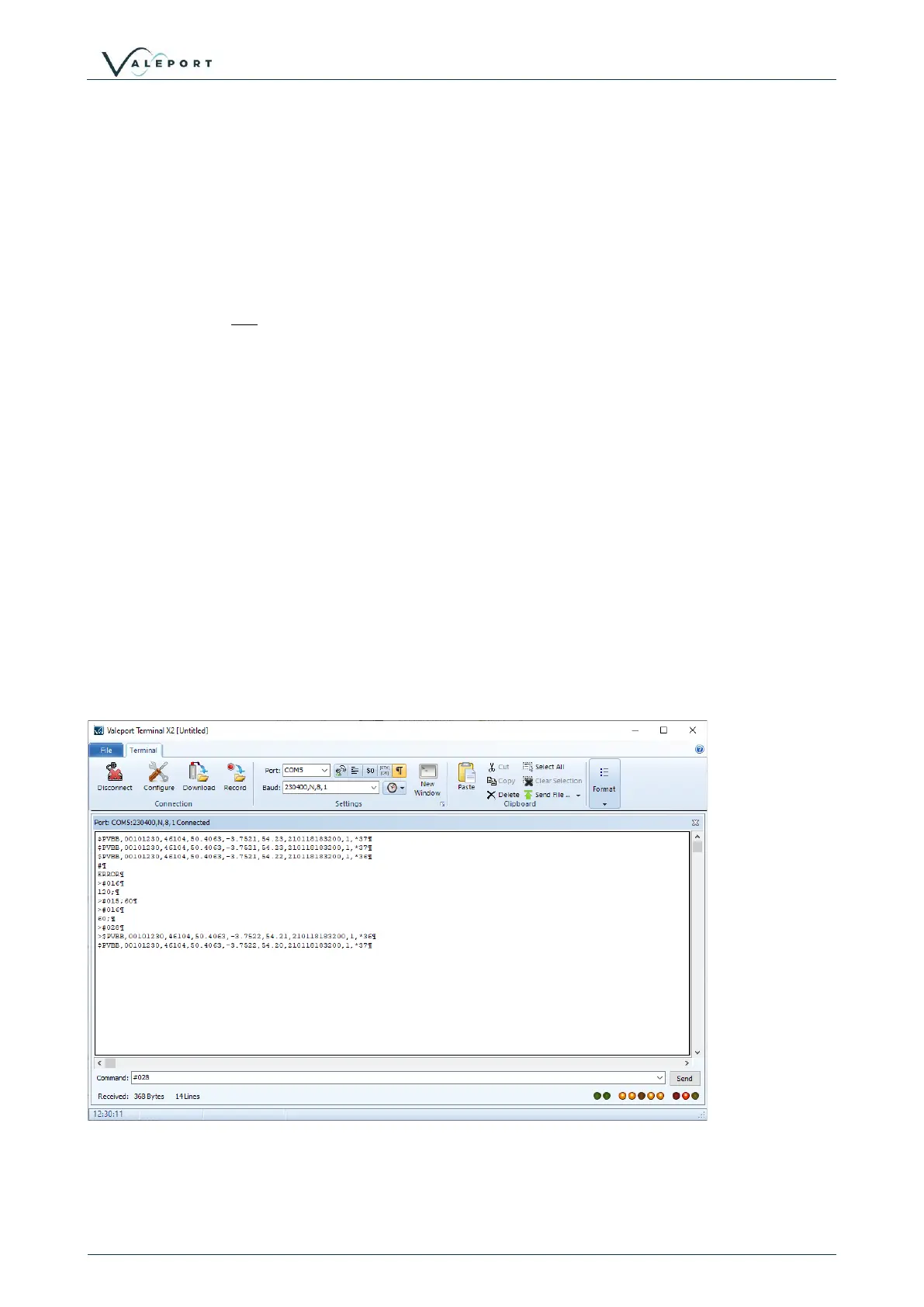
Example of manual Auto Power Mode command sequence, changing the time out from 120
minutes to 60 minutes:


 To Next Page