ProStar 430 Autosampler Control Manual - 35 - 03-914947-33:2
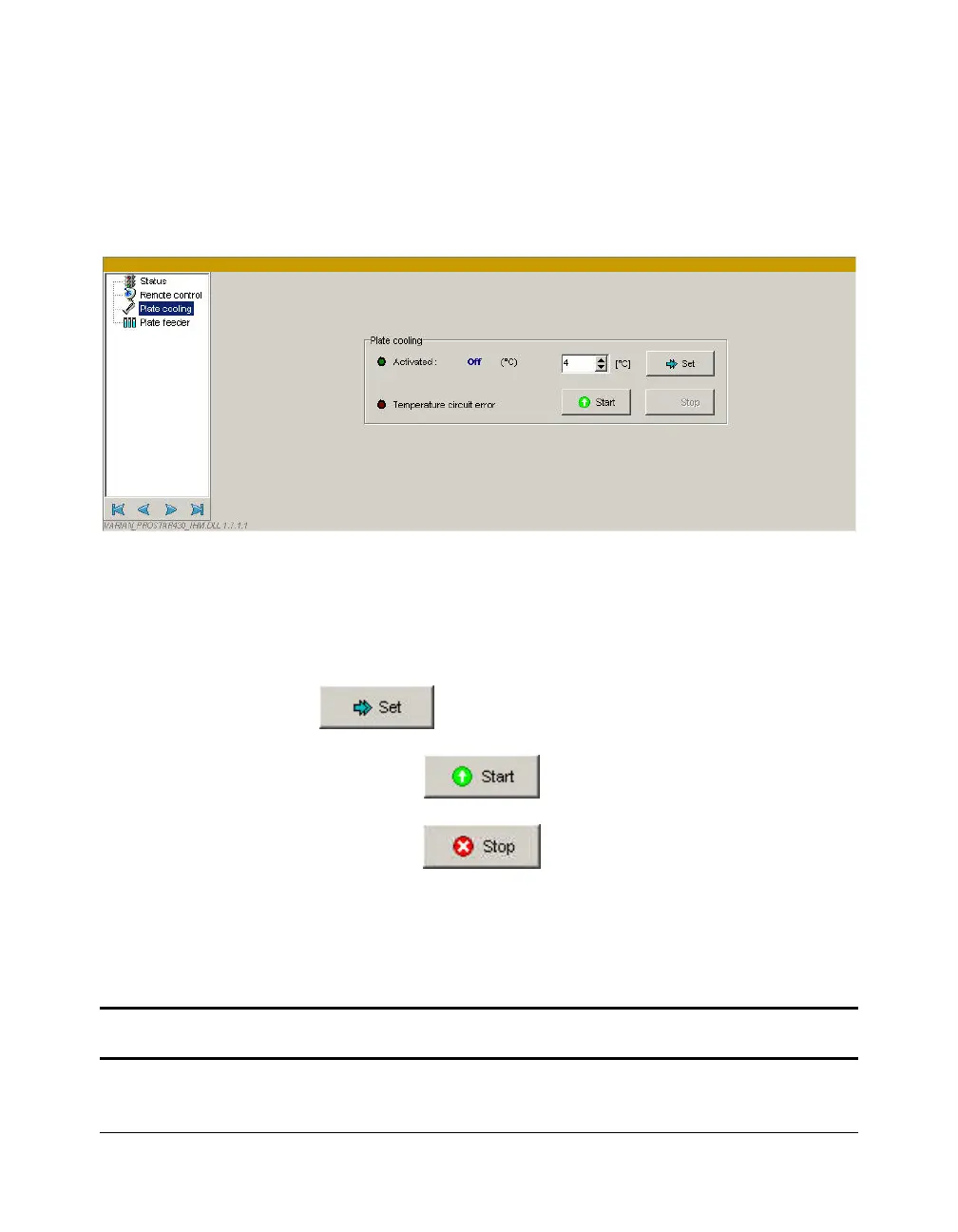
Plate Cooling Window
This tab is active if the plate cooling option has been previously
configured in the Galaxie Configuration Manager.
Plate cooling parameter group:
The green light indicates if this option is activated or not. The
status of the plate cooling and the current temperature are
shown. The temperature set point can be changed by entering
the new temperature set point and then by clicking on the
button to send the new value to the autosampler.
Click on the
button to start the plate cooling.
Click on the
button to stop the plate cooling.
The Temperature circuit error led indicates if an error has
occurred.
NOTE: The temperature range for sample plate cooling is from 4 °C to 40 °C and the
maximum cooling capacity is 20 °C below ambient temperature.




 To Next Page