EasyManua.ls Logo

Vasco DX4 - Page 105

Vasco DX4
Print Icon
To Next Page IconTo Next Page
To Previous Page IconTo Previous Page
Loading...
MOUNTING CO
2
RF SWITCH
Always mount the CO
2
RF switch in an easily accessible location in the
room whose CO
2
concentration you wish to control. Always provide a 230 V
power supply at the switch.
MOUNTING RH RF SWITCH
Always mount the RH RF switch in an easily accessible location in
so-called “wet rooms”.
CONNECTION 0-10 V SIGNAL 19
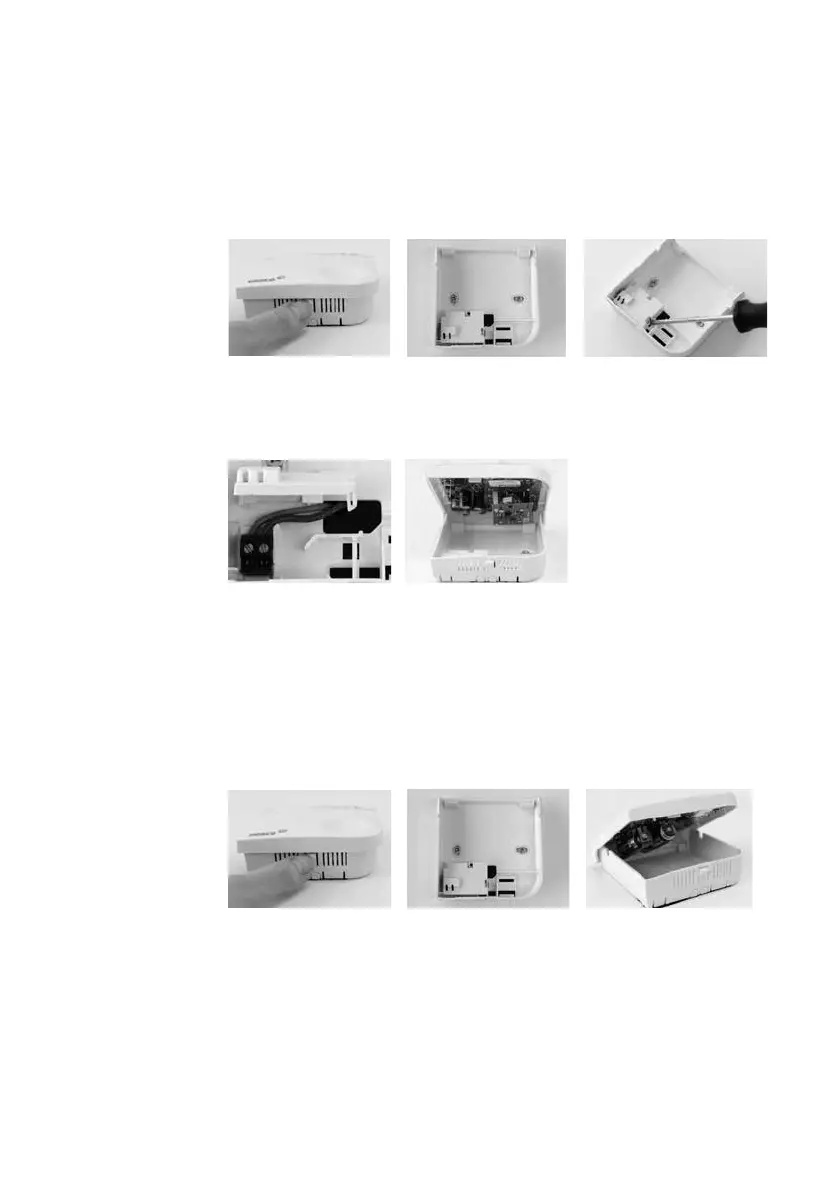
Step 1:
Disassemble the
switch.
Step 4:
Connect the 230V
power supply to the
connectors.
Step 1:
Disassemble the
switch.
Step 2:
Mark out the screw
holes of the base
plate on the wall.
Step 2:
Screw the base plate
firmly onto the wall.
Step 5:
Place the cover back
on the switch.
Step 3:
Screw the base plate
firmly onto the wall.
Step 4:
Place the cover back
on the switch.
Step 3:
Open the cover on the
base plate to reveal the
electrical connections.

Table of Contents