18 MOUNTING SWITCHES
Mounting tips
Always place the switch away from places where moisture droplets
may form. Never place the wall transmitter in a metal housing or
near large metal objects.
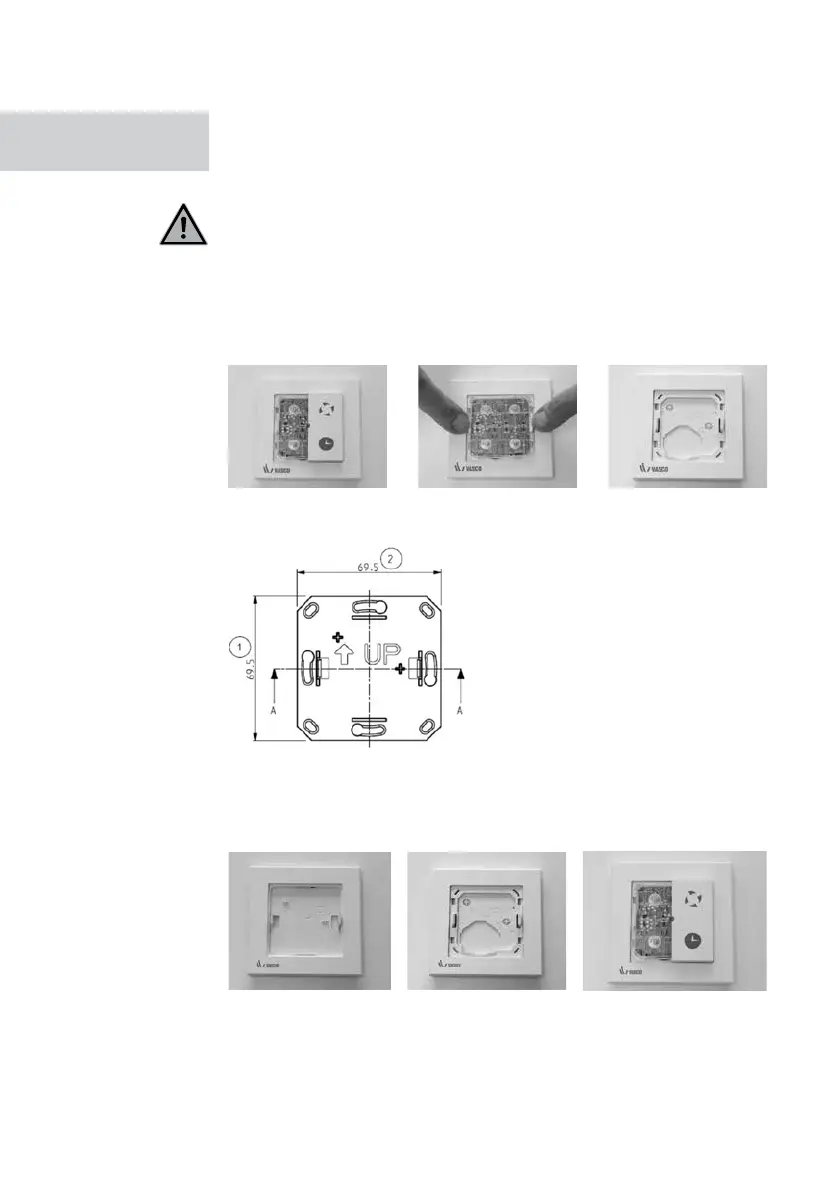
MOUNTING RF SWITCH
Always mount the RF position switch in an easily accessible location.
Step 1: Detach the buttons and the electronics module in order to make
the base plate free for wall mounting.
Step 2: Mark out screw holes for the base plate on the wall.
Step 3: Mount the base plate to the wall with screws.
Step 4: Mount in the following order:
1. Frame 2. Base 3. Electronics and buttons
MOUNTING
SWITCHES



 To Next Page