15
Chapter 4 Image Acquisition by using EasyDent
4.1 Installation of EasyDent
In this step, EasyDent will be installed. Alternatively, software which supports the Twain
interface can be used instead of EasyDent.
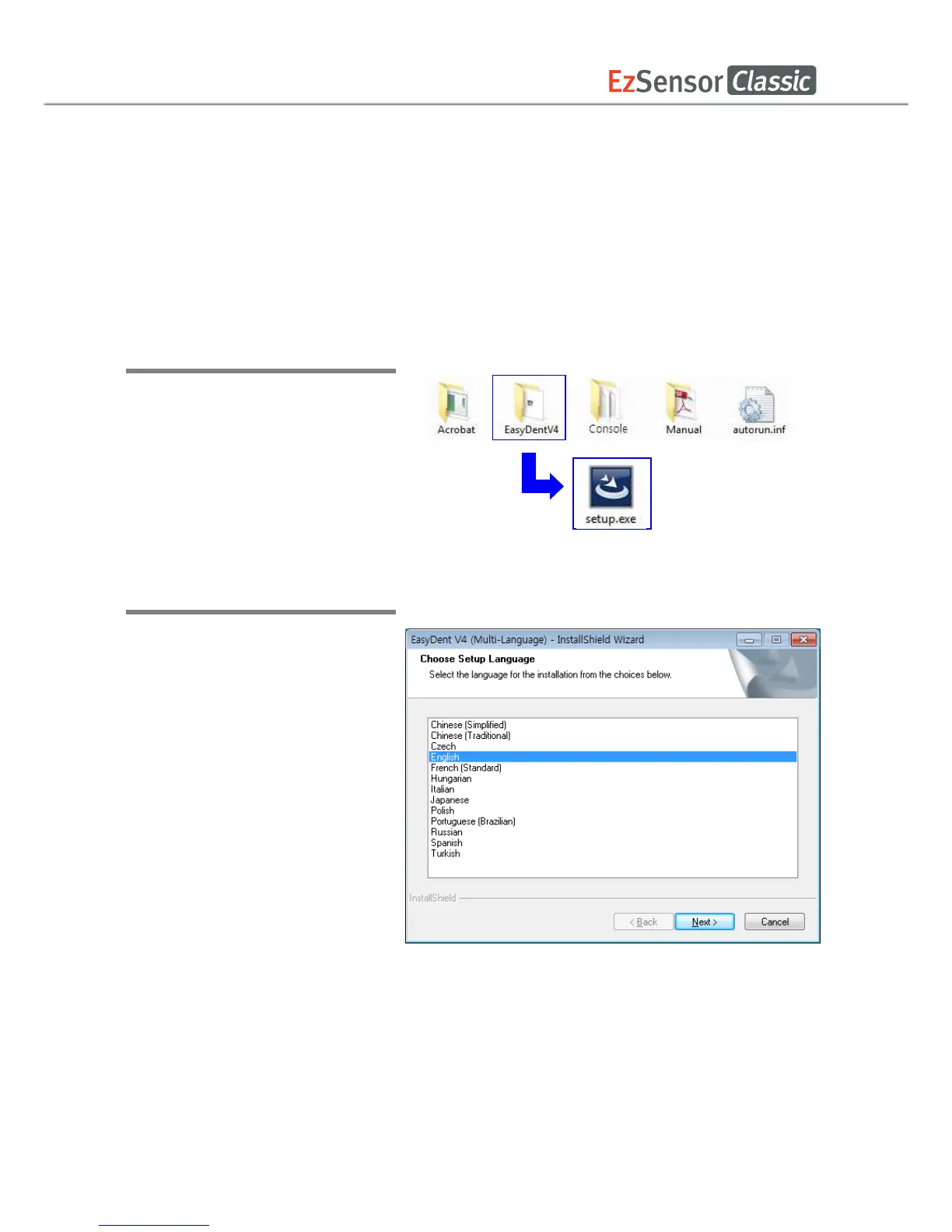
Step 1
Insert the S/W installation CD in
the CD-ROM drive.
Homedirectory:\EasyDent\setup.exe
. Press ‘Enter’.
Step 2
Select the language you want to
install and then click ‘Next’.














 To Next Page