43
5.3 Consult DB License Activation
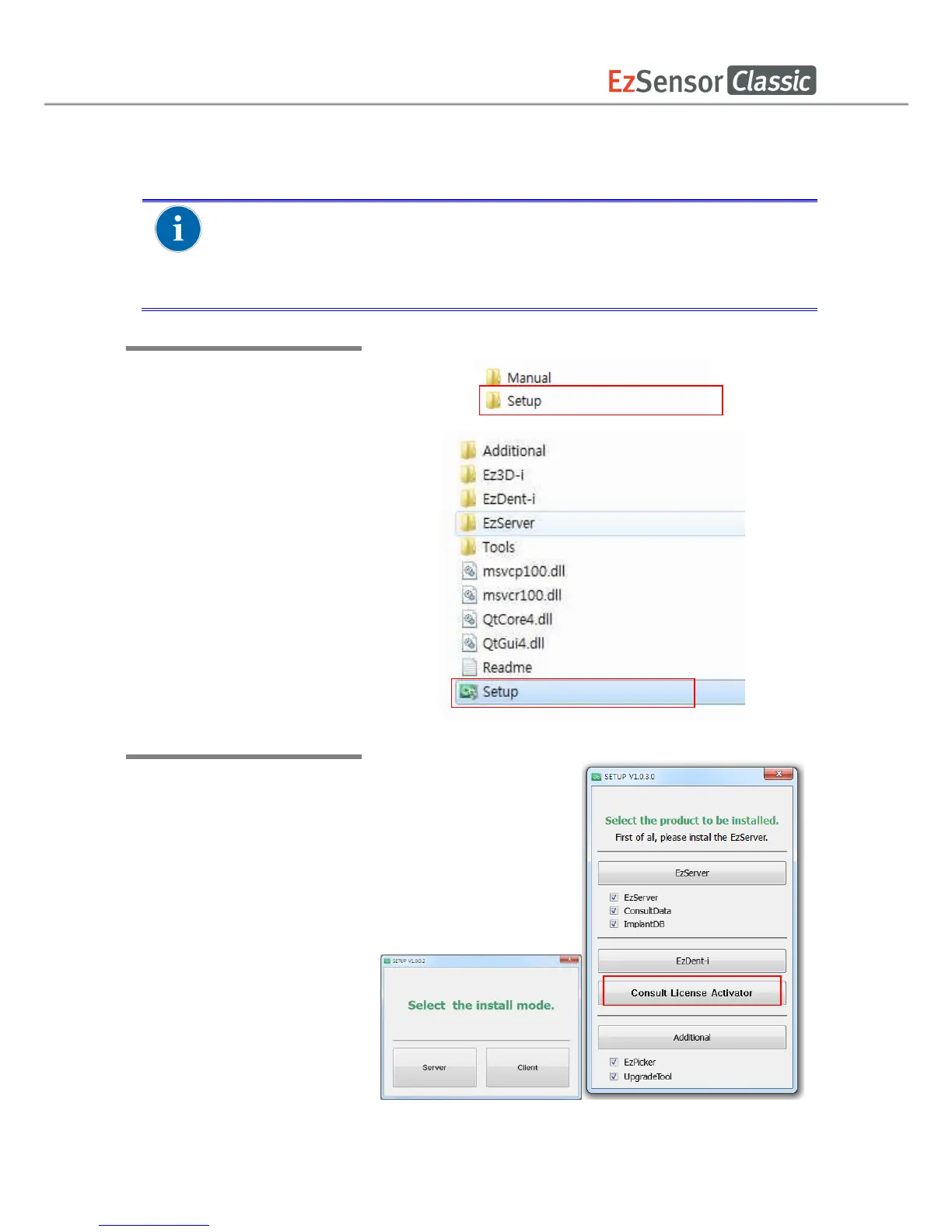
Step 1
Open[Setup.exe] from [Setup]
folder to install EzDent-i
Server or Client for Windows
Step 2
After selecting the install
modes, Click the [Consult
License Activator] button
Consult DB is for the users who have a Consult Premium License. After
activating Consult DB License, the user can utilize video contents for
consultation use.














 To Next Page