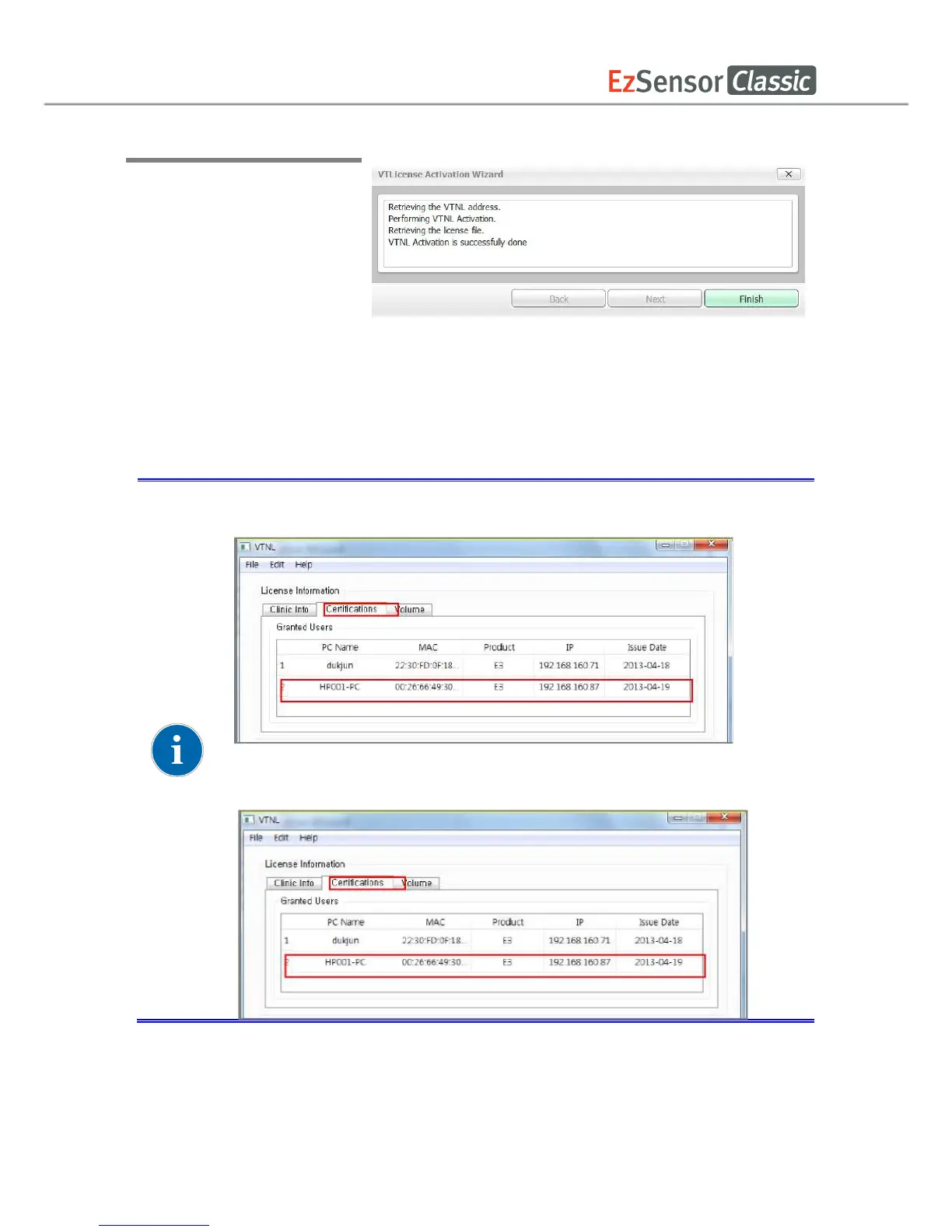
Step 4
After clicking the [OK] button,
the following VT License
Activation Wizard window
appears. Once the license has
been activated, click on the
[Finish] button to complete
your activation. EzDent-i will
then run automatically.
Once the license has been activated, the user
of [Certifications] in the VTNL window.
dongle license key number appears on the list of [Volume] in the
appears. Once the license has
Once the license has been activated, the user
s PC will appear on the list
of [Certifications] in the VTNL window.
dongle license key number appears on the list of [Volume] in the
s PC will appear on the list
dongle license key number appears on the list of [Volume] in the














 To Next Page