12. Maintenance
vatech A9 (Model name: PHT-30CSS) User Manual 139
English
12.4.3.2 Analyzing S&C Check Phantom
1. Remove Bite and Temple Supports from the Unit.
2. Double-click the saved PHANTOM image in EzDent-i to run Ez3D-i.
3. Go to the Axial view and double-click the pane for full-screen mode.
4. Adjust the contrast by using WINDOWING Icon.
5. Adjust the Brightness by using WINDOWING Icon.
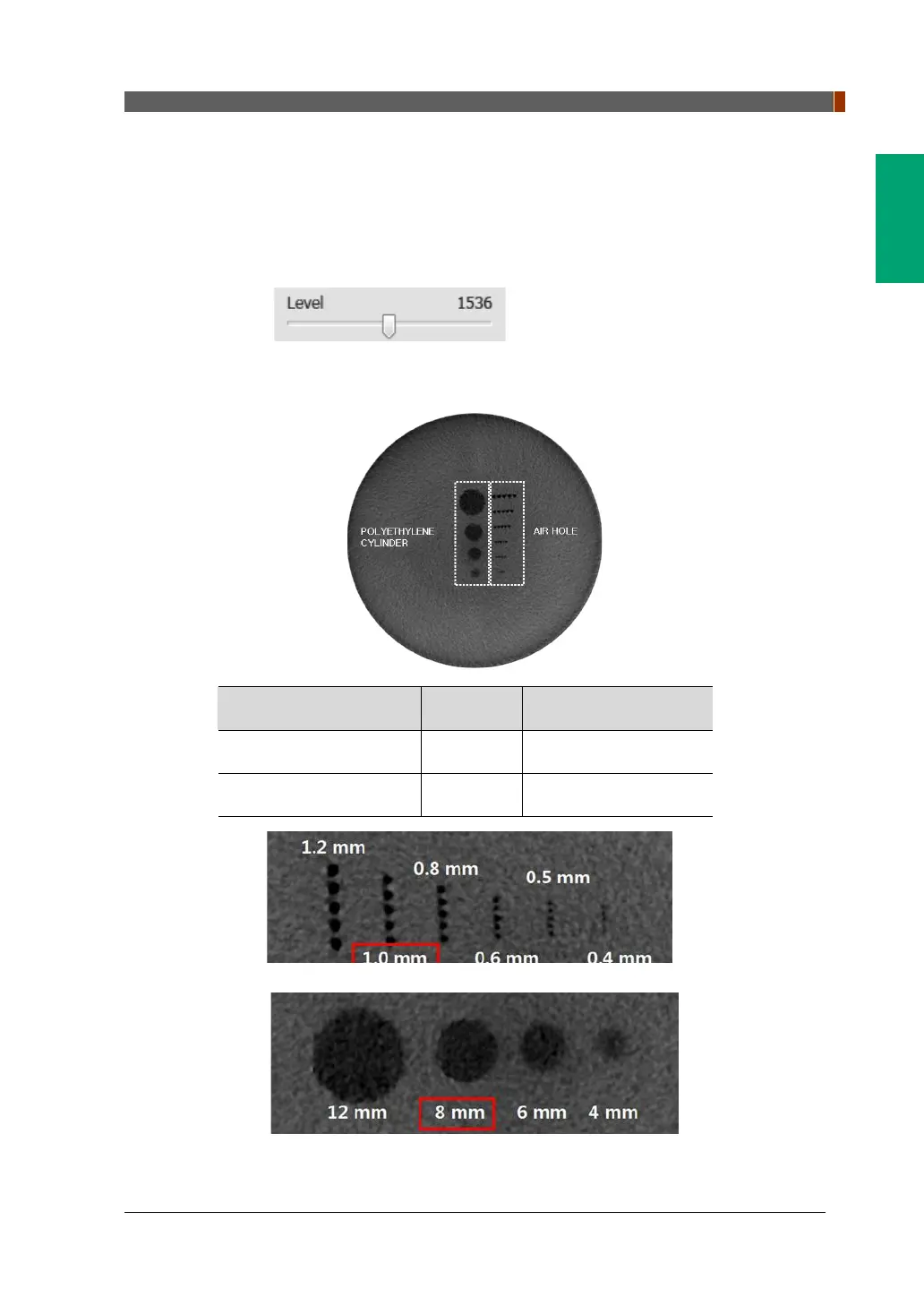
6. Make sure that you can see the minimum size of the Airhole and the PE
(Polyethylene) cylinder at a distance of 50 cm (20 inches) from the monitor.
Parameters Material Minimum visible size
High Contrast Resolution Air Hole 1.0mm
Low Contrast Resolution PE cylinder 8.0mm
<High Contrast Resolution>
<Low Contrast Resolution>














 To Next Page