PaX-i3D Green (PHT-60CFO) User Manual
51
4 Software Overview
Setting the default mode in the PANO: The most frequently
used mode among the HD and Normal can be congured
as the default, which requires the authority.
To change the default mode,
1. Ask the engineer in your region for the mode change.
2. Re-run the imaging program after setting up the related
parameters.
The default mode, if any, specified in a specific country
can't be changed for the user's intent.
C. Arch Selection
Select the patient’s arch type: Narrow, Normal, Wide, Child, and Orthogonal.
Orthogonal:
Enables the image to be acquired with overlapping regions of the
teeth minimized.
D. PANO Examination
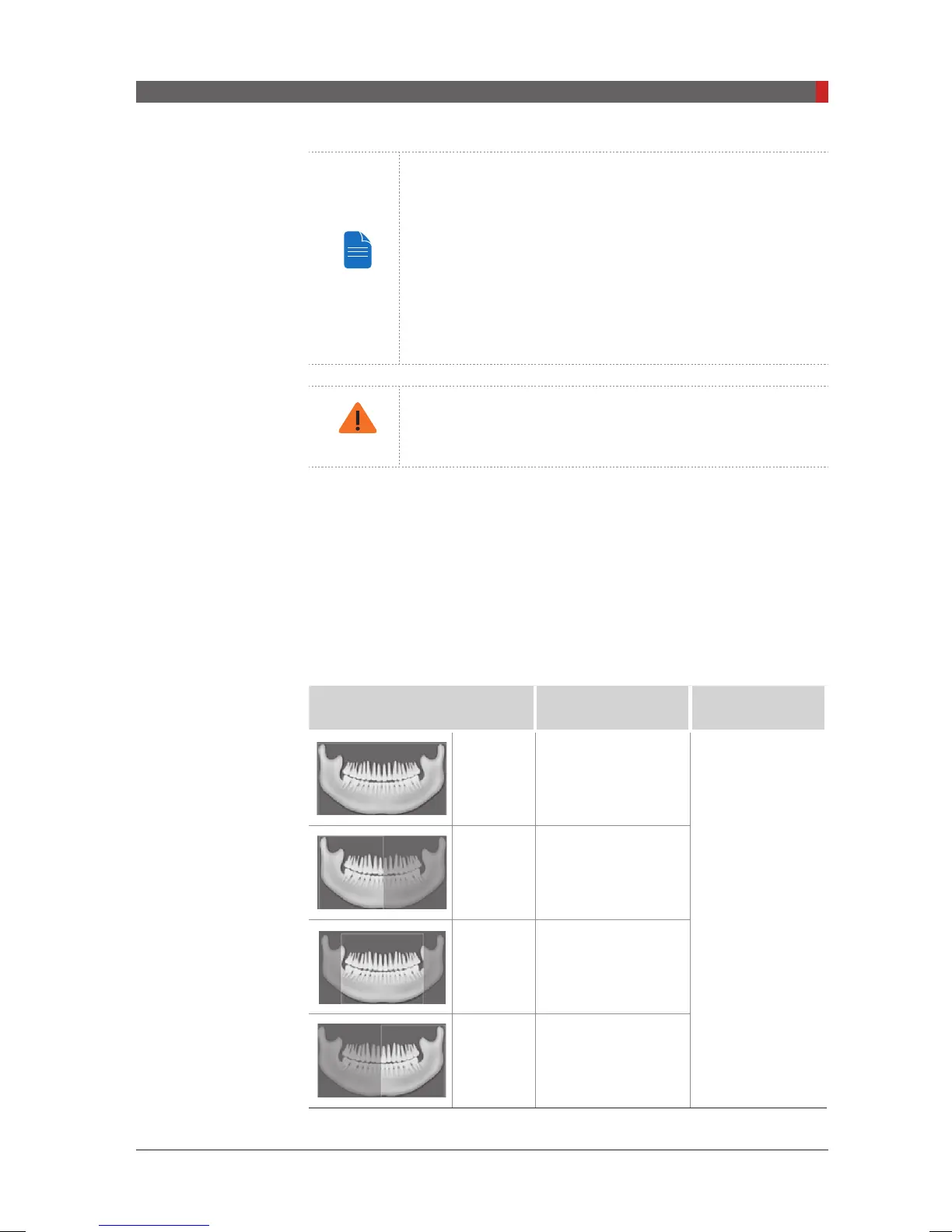
Acquire the image for a specic ROI in panoramic mode.
Mode
Region of Interest:
PANO Image
Remark
Standard
Imaging standard
images
Supported by
any arch type
selection
Right Imaging lateral right
Front Imaging frontal area
Left Imaging lateral left
[PI3DG_130U_44A_en]User Guide.indd 51 2016-05-24 오후 4:18:40













 To Next Page