PaX-i3D Green (PHT-60CFO) User Manual
68
5 Getting Started
EzDent-i
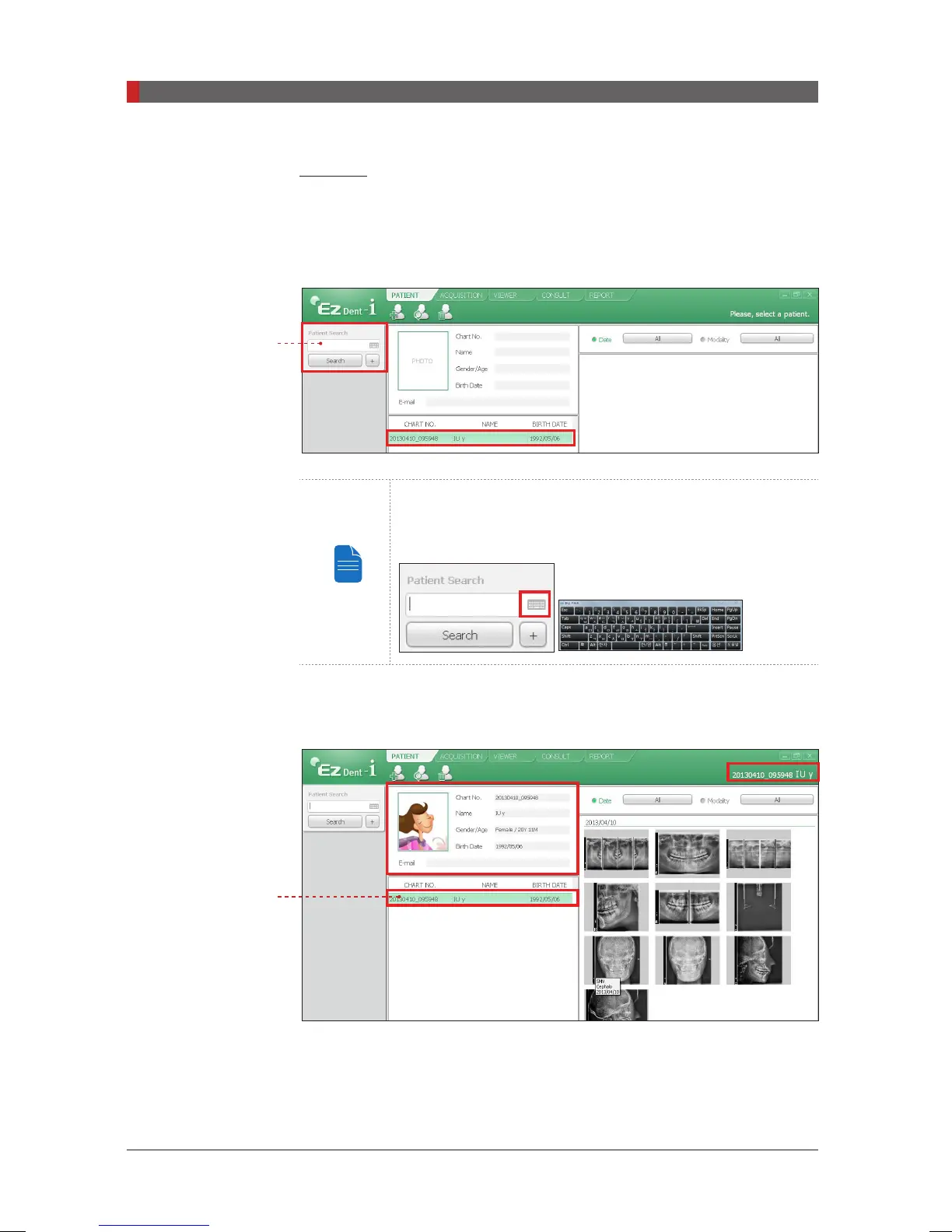
A. Enter the name or chart number of the patient to be searched on the
Search
pane and then click the
Search
button. The information on the patient that ts
the search condition appears.
Double-click the Keyboard icon to display the virtual
keyboard. You may search patient information using the
virtual keyboard.
B. Double-click the patient information to see more details about the patient as
shown below.
Enter
Double click
[PI3DG_130U_44A_en]User Guide.indd 68 2016-05-24 오후 4:18:44













 To Next Page