2.5.9 Co-driver
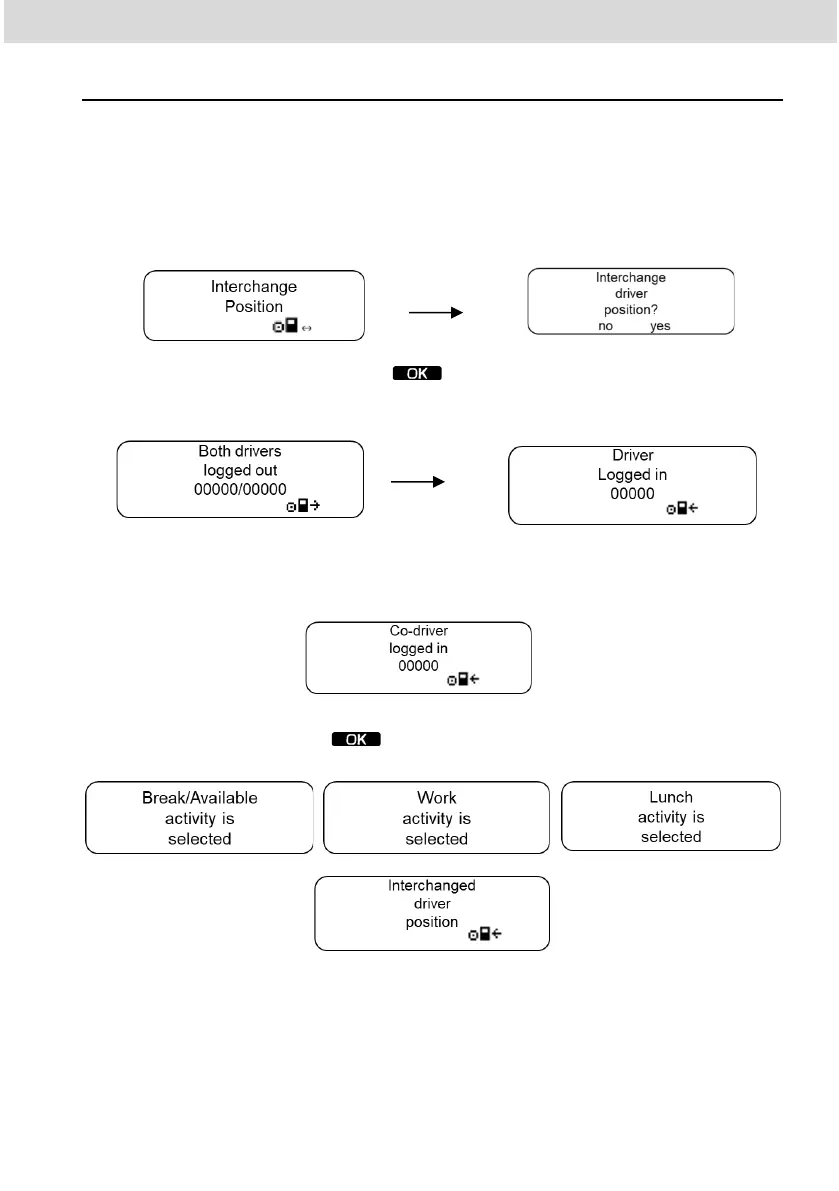
When there is a need to change drivers, it is mandatory that the second driver
has a different manual registration or NFC card than the first one. To use this
function you must previously "enable second driver connection" in the settings
menu and you must have 2 drivers registered. When you select the "switch
drivers" item in the driver's menu, you will be asked to confirm the switch
To move forward press the button . Then the information will appear that
the drivers have been disconnected from their current positions and will identify
the main driver.
Afterwards, you will be asked to select the activity of the driver identified as
the main driver. After the selection, the second driver will be identified
Then the activity confirmation and performed exchange screens will be
displayed. Press the button to return to the main menu



 To Next Page