DLKPro Inspection Key • Operating Instructions – Edition 03/2012 18
6 The screen – the first data check
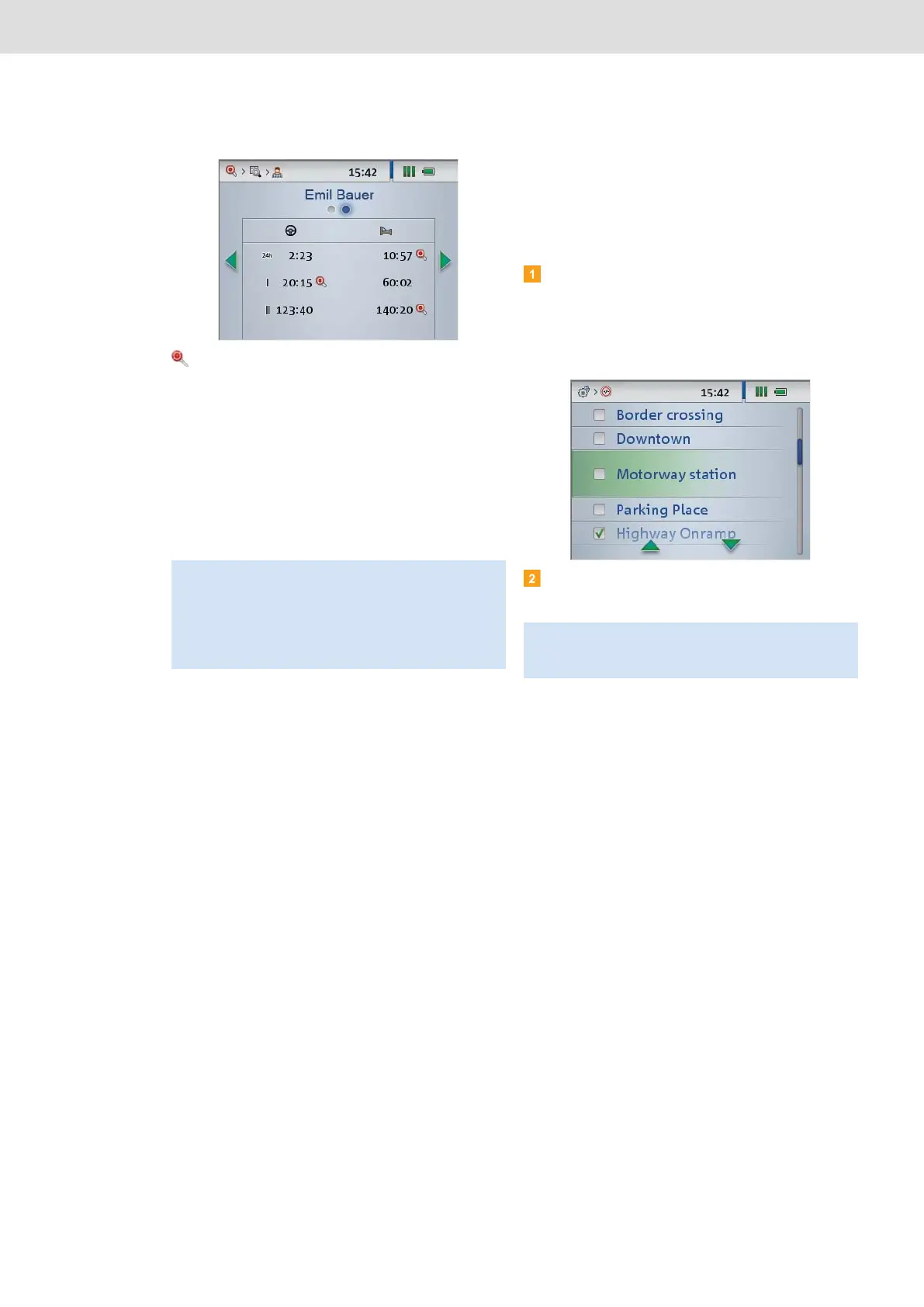
The Infringements menu shows information about
infringements and suspicious events discovered
during the driver and vehicle check; see page 44.
You can check whether or not
• a driver has committed any infringements of
Regulation (EC) No. 561/2006 (driving times and
rest periods).
• signs of suspected tampering with the digital
tachograph exist.
• the maximum permitted speed programmed in
the digital tachograph was exceeded.
Selecting the tolerance profile
During a driver or vehicle check, the DLKPro analyses
the downloaded data based on the previously selected
tolerance profile.
Switch on the DLKPro by pressing the on-off
button, choose the Settings menu and then the
Inspection Profiles sub-menu.
A list is displayed of all the tolerance profiles stored
on the DLKPro.
Select the tolerance profile you want to use for the
next driver or vehicle check.
Note: Suspicious events detected for a vehicle do not
necessarily relate to the driver whose driver card you
have checked. Always verify the infringements
(suspicious events) found against a digital tachograph
printout, an infringement analysis in TIS-Web
®
,
TIS-Office
®
or a third-party software product.
Note: You can create tolerance profiles in the PC
programme (Configuration (module) > Inspection
profile (tab)).


 To Next Page