DLKPro Inspection Key • Operating Instructions – Edition 03/2012 28
8 “DownloadTools” PC programme / Breach module
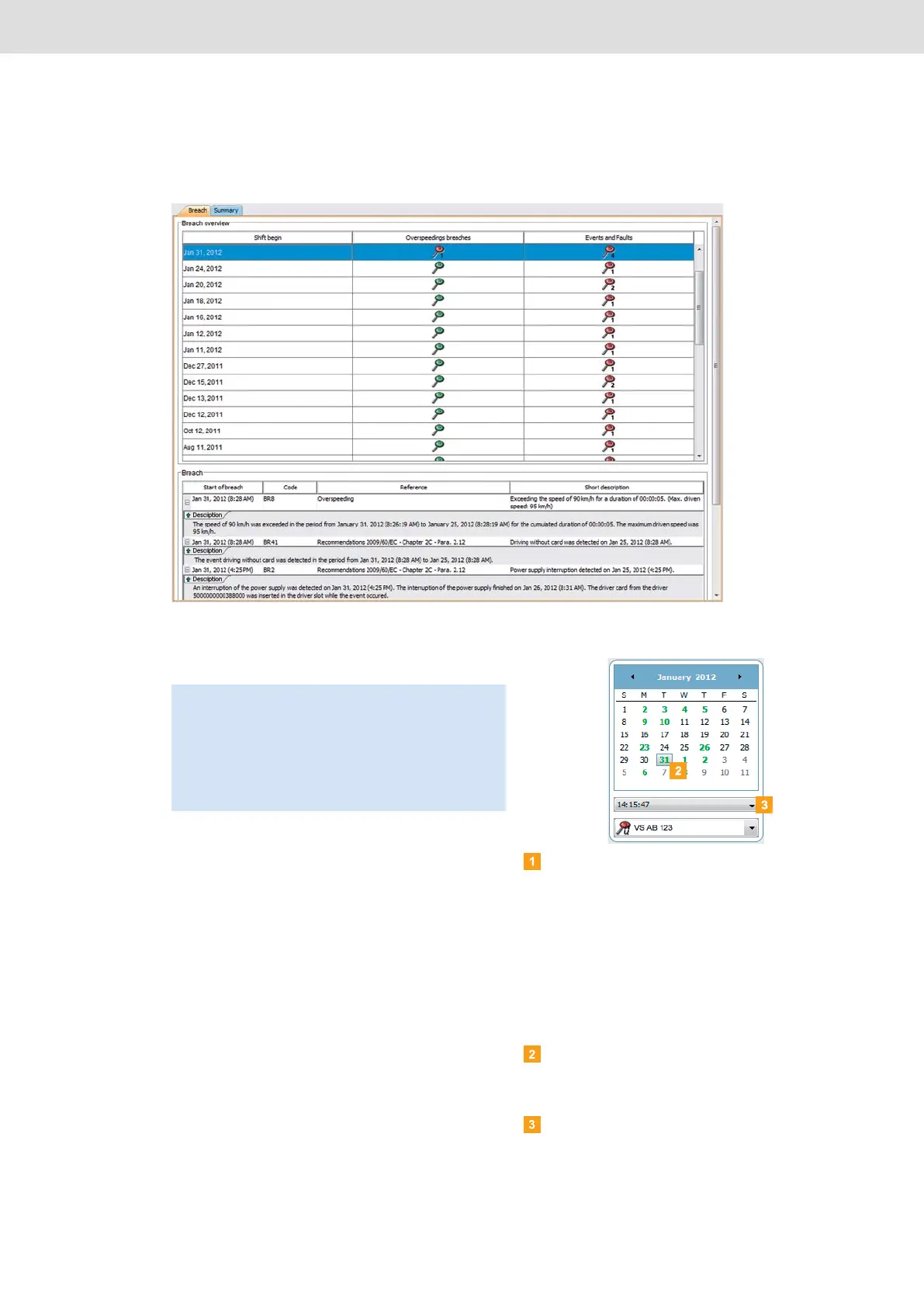
Displaying, checking and printing suspicious events
The Breach module provides you with functions for
checking whether or not the downloaded files contain
any infringements.
In the Breach module, you can display the data and print
it out.
This module also has the function for archiving files; see
page 31.
Selecting data
Choose the Breach module.
The days on which data was downloaded are
colour-highlighted in the calendar in the overview
pane:
• Red: Data which has not yet been archived and is
available for that day.
• Green: All the data for that day has already been
archived.
The current day is displayed with a red frame.
In the overview pane in the calendar, select a date
on which vehicle and/or driver card files were
downloaded.
Select the time the data was downloaded.
Note: Any infringement of Regulation (EC)
No. 561/2006 (driving times and rest periods) and
any events and faults detected are already analysed
during the data download.
Please note that evaluations are based on the tolerance
profile that you selected before the check; see
page 44.


 To Next Page