DLKPro Inspection Key • Operating Instructions – Edition 03/2012 19
6 The screen – the first data check
Displaying possible infringements
(driver card data)
After the driver card download you can display any
infringements of Regulation (EC) No. 561/2006 (driving
times and rest periods) on the screen.
You want to display the data at a later date:
• Switch the DLKPro on by pressing the on-off
button.
• Open the Infringements menu.
• Select a day.
A list is displayed of all the drivers and vehicles for
whom/which data was downloaded on that
particular day using the DLKPro.
Select a driver.
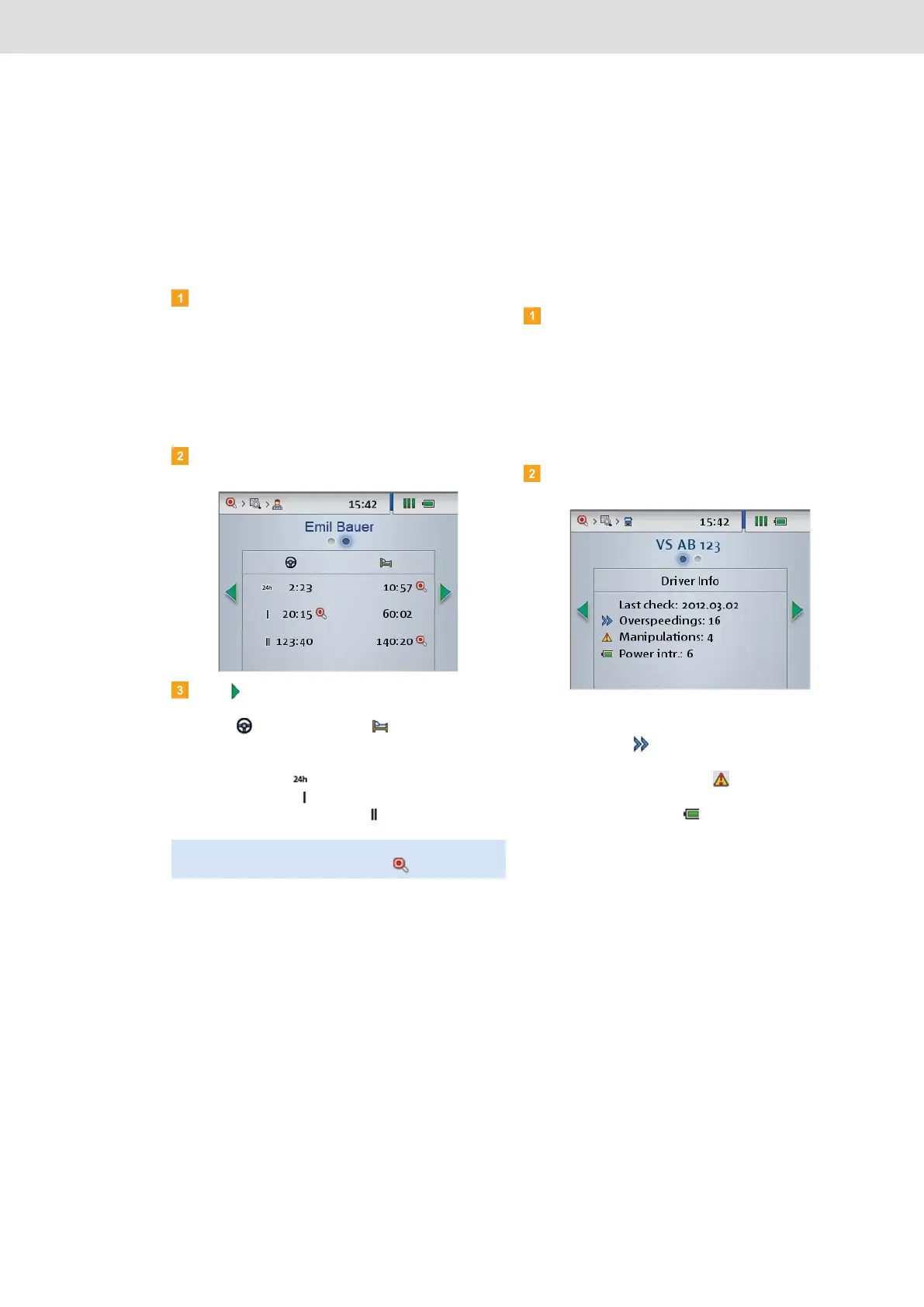
Press to switch to the evaluation of infringements
of Regulation (EC) No. 561/2006 relating to driving
times ( ) and rest periods ( ).
The device shows whether or not infringements
have been detected for the following periods:
• current shift ( ),
• current week ( ),
• current two-week period ( ).
Displaying suspicious events
(mass memory data)
After a quick check or mass memory download, you can
check on the screen whether or not suspicious events
exist (signs of suspected tampering with the digital
tachograph or of exceeding the programmed speed).
You want to display the data at a later date:
• Switch the DLKPro on by pressing the on-off
button.
• Open the Infringements menu.
• Select a day.
A list is displayed of all the drivers and vehicles for
whom/which data was downloaded on that
particular day using the DLKPro.
Select a vehicle.
On the screen you can see
• how often the programmed maximum speed was
exceeded ( ).
• how many signs of suspected tampering with the
digital tachograph exist ( ).
• how often the digital tachograph recorded a
power interruption ( ).
Note: Infringements of driving times and rest periods
are denoted by a red signalling disc ( ); see page 44.


 To Next Page