DLKPro Inspection Key • Operating Instructions – Edition 03/2012 36
8 “DownloadTools” PC programme / Configuration module
Specifying tolerances for driver and vehicle checks
Before using the DLKPro for the first time to check
drivers and vehicles, you should specify the tolerances
for infringement and suspicious event checks.
In the Configuration module on the Inspection profile
tab, specify the tolerance values for
• checking Driving and rest time breaches,
• Security breaches and
• Overspeeding breaches.
You can select the tolerance profile for the infringement
and suspicious event check either in the PC programme
or via the touch screen; see page 18.
Choose the Configuration module and then the
Inspection profile tab if you want
• to create a new tolerance profile.
• to modify the settings of an existing tolerance
profile.
Creating a tolerance profile
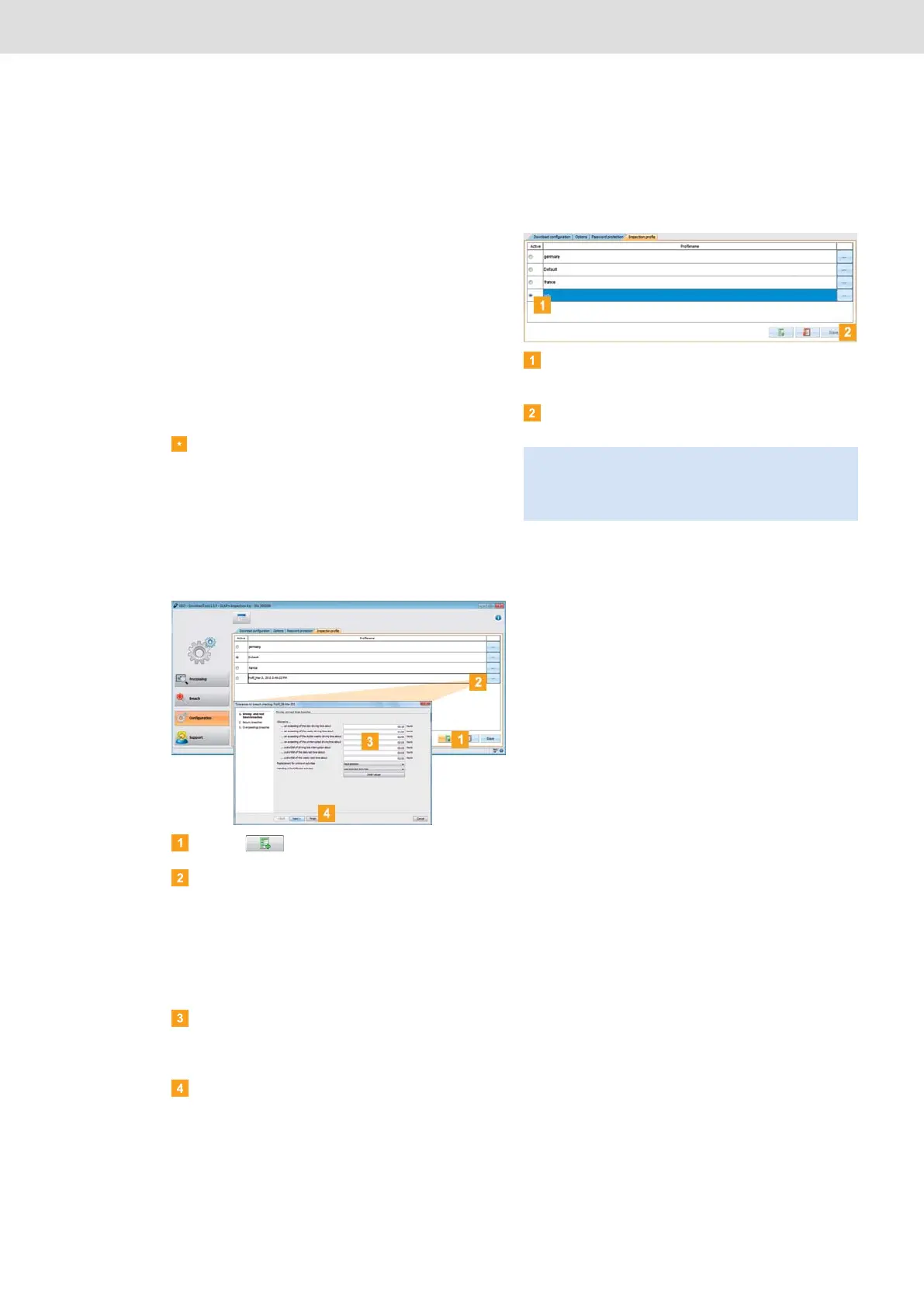
Click on to create a new tolerance profile.
Select the existing profile and
• double-click in the Profile name column to
change the profile’s name displayed on the touch
screen.
• click on […] to edit the profile’s tolerance values.
The Tolerances for breach checking dialogue
box appears.
Specify when the DLKPro should indicate an
infringement or a suspicious event by setting the
tolerance values.
Click on [Finish] to confirm your settings.
Activating the tolerance profile
In the Active column, select the tolerance profile to
be used for the next driver or vehicle check.
Click on [Save] to confirm your setting.
Tip: You can also use the device screen to select the
tolerance profile to be used for a driver or vehicle check.
Please remember that the profile must be set before
the check.


 To Next Page