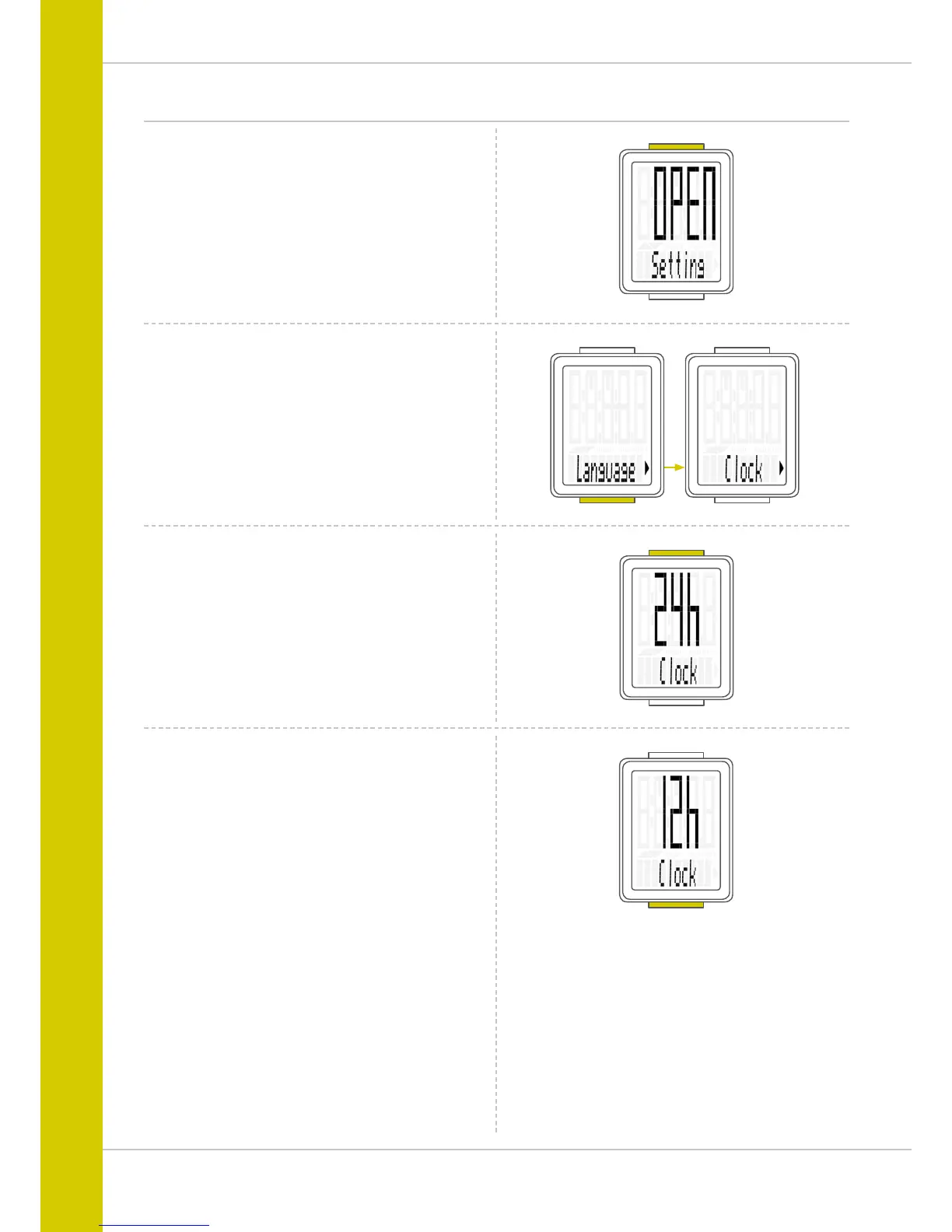
In the VDO M2 WL, you can set the time in 12-hour AM/PM
format or 24-hour format.
Press and hold the SET button until the settings menu
opens.
Settings – clock
“Language” appears on the display.
Press the BIKE button to scroll to the setting for the time.
Press the SET button to open the setting for the time.
To switch to the 12-hour AM/PM format,
press the BIKE button.



 To Next Page