. LOCK . CLICK
. UNLOCK
UNLOCK
LOCK
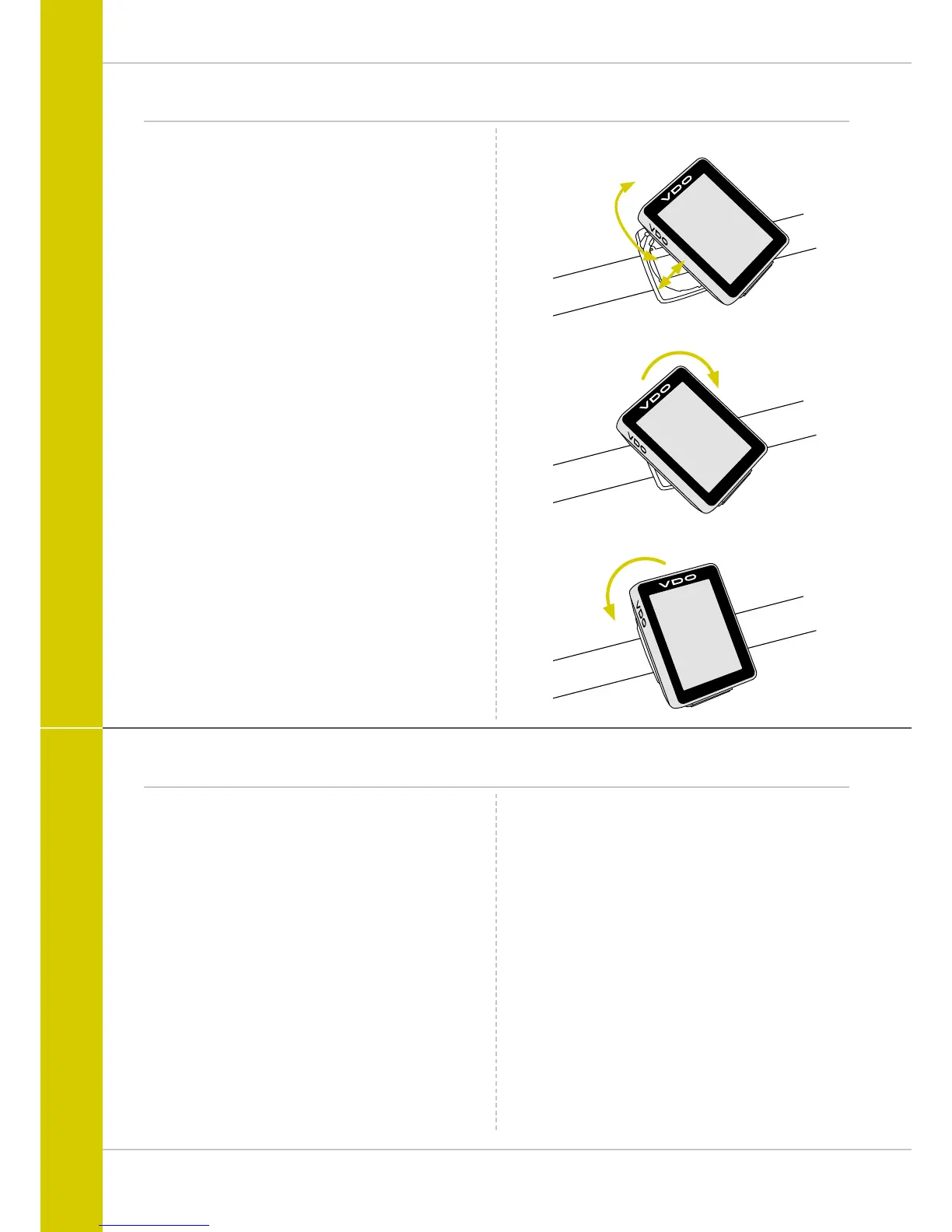
Inserting the computer into the handlebar bracket
The VDO twist-click system securely connects the computer
to the handlebar bracket.
This occurs as follows:
STEP 1
Place the computer into the bracket in a 10 o’clock position.
STEP 2
Rotate the computer to the right into the 12 o’clock position
and click it into the bracket system. A noticeable resistance
must be overcome to move it into place.
STEP 3
To remove the computer, rotate it to the left (without pushing
or pulling).
Memory aid: Rigid to the Right, Loose to the Left
Testing the wireless transmission
Once attached, test the wireless transmission.
Do this as follows:
– Insert the computer into the bracket
– Lift and spin the front wheel
– An LED should flash on the transmitter for a few seconds.
Flashing LED: the transmitter is sending a signal
– A speed should now be displayed on the computer.
If no speed is displayed, there can be several reasons for
this. The possible reasons are described in the “Trouble-
shooting” section.



 To Next Page