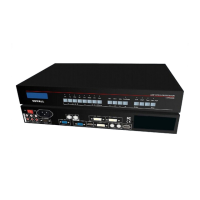
LVP300 LED HD Video Processor
Chapter 5 Basic user instructions
After LVP300 boot, it enters the operation status of last shut-down including signal
switching status, PIP/POP (or Text overlay) status and mosaic status. Among them,
PIP/PBP( or text overlay) status and mosaic status can only realize relative functions and
cannot do other operation. Other relative operations are available under signal switching status.
We illustrate the common operations as below.
1. Input signals selection
LVP300 supports two signal switching methods including“One key switching”and“Pre.+Take
switching”. The switching method can be set in user setup menu “2.2 switch mode”. “One
key switch” is default method. One key switch to new input signal through input signal
selection buttons.
;
“Pre.+Take switch” only available for seamless switching. Press input
buttons to preselect first. Then press Take button to switch from current input signal to
preselected signal.
Input signal selection as follows
:
2 * composite video signal input (PAL/ NTSC)
1 * PC analog signal input 1 路计算机模拟信号输入
1*DVI digital signal input
1 * HDMI digital signal input


 To Next Page