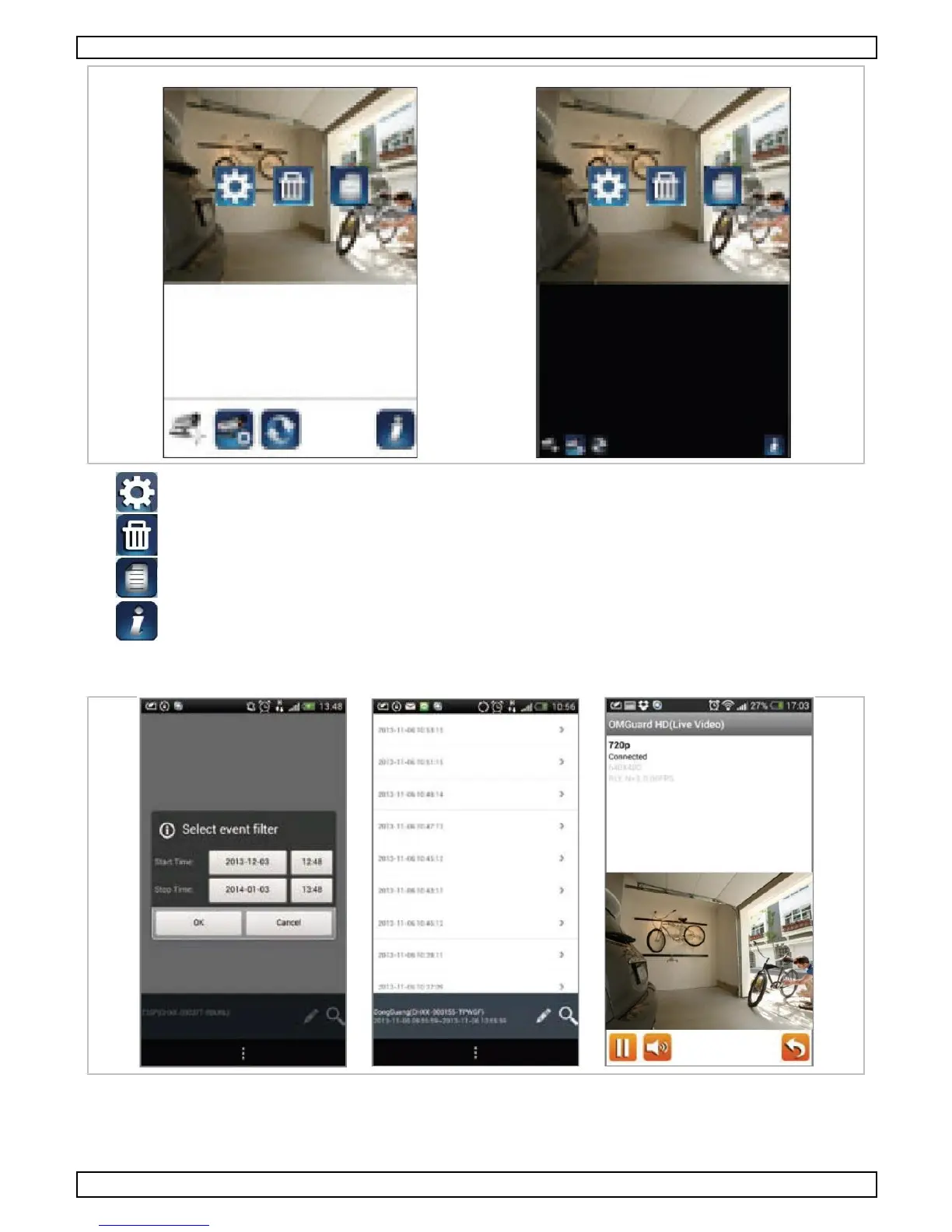
C lic k the E vent List ic on to display the Date/Time Filter. Define the period for the system to dis play all
the available rec orded files for playback.
During playback, click the P ause icon to pause/resume the video, the M ute icon to deac tivate/activate the
audio func tion and the Go Bac k icon to return to the event lis t.
Y ou may als o view the rec orded files on your P C. For bes t performance, us e the free video c onverter
from http://www.freemake.com/free_video_converter/ or V ideoLAN from http://www.videolan.org/.


 To Next Page