- 32 -
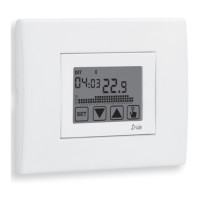
Iride Chronothermostat User Manual
If the key lock is active and one key is pressed, the display shows for a few seconds
the writing bL0c with flashing dashes: enter the password to unlock the keyboard,
which will be locked for 30 seconds from the last pressure.
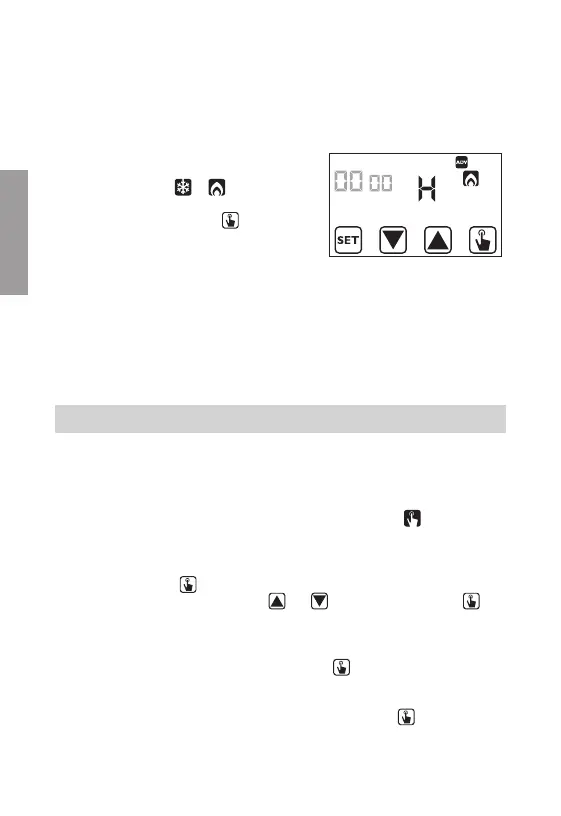
System operation hours
This page shows the total number of hours of the
system operation (relais ON) for the current mode
(indicated by the icons
or ).
The hour meter has got 4 digits and it’s resettable
pressing for a long time the key
until 0000
appears.
MANUAL OPERATION
During manual operation the chronothermostat performs as a normal thermostat,
adjusting on the basis of the Tm temperature (manual setpoint), independently from
the day and the time where it is.
The manual operation is signalled with the switch on of the symbol
in the field (5).
To move from the automatic operation to the manual one:
1. press briefly the key
. In the field (7) the setpoint (Tm) currently set flashes
2. set the desired setpoint with the keys
and and confirm with the key
3. at this point on field (7) the value of the environment temperature reappears and
the instrument operates in manual.
If you want to change the setpoint (Tm) press the key
and repeat the points 2
and 3.
To go back to the automatic operation press for a long time the key (for about 3
seconds).
English


 To Next Page