NOTE: The integrated control can be turned OFF (no light) or at Minimum speed (amber led)
to use this control.
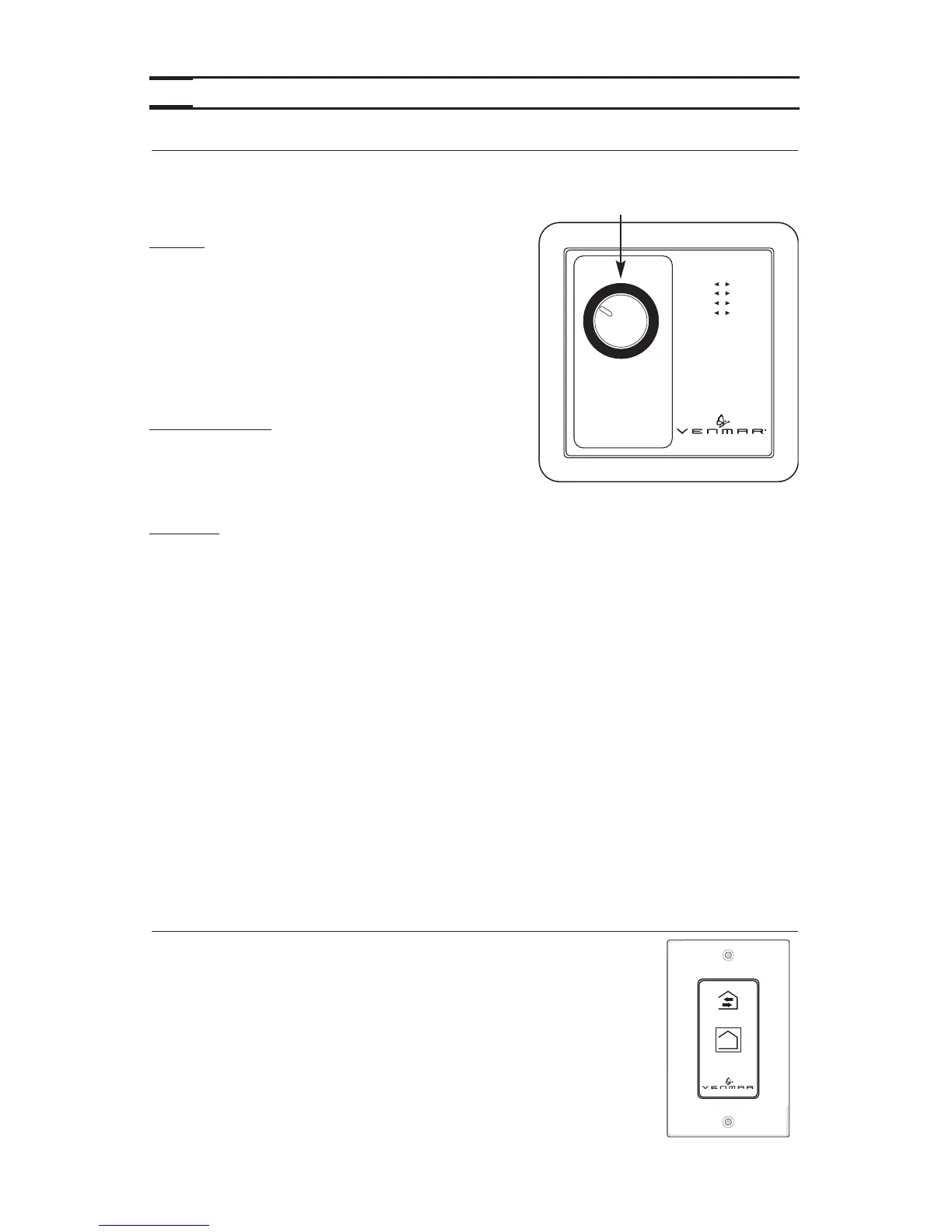
USING THE HUMIDITY LEVEL SELECTOR:
Winter: (outside temperature between 5°C and -30°C)
– Position the selector between 50% and 25%,
pointing approximately to the corresponding
outside temperature.
–If there is condensation or frost on the windows,
then lower the humidity level by 1% to 2% every
24 hours until the condensation has evaporated.
– Do not go lower than 25%: the air will become too
dry for human comfort.
Spring and Fall:
– Position the selector anywhere between 75% and
50% (higher on warm days, lower on cold days).
–If certain periods during the spring and fall seem
more like winter, follow the instructions given for humidity control during the winter.
Summer:
– Position the selector at 80% during the day.
– Lower the selector to 20% to introduce cool fresh air into the house during certain
summer nights.
IMPORTANT EXPLANATIONS ABOUT HUMIDITY LEVELS:
The comfort level for human beings is between 30% and 45% relative humidity. To measure
the present humidity level in your house, proceed as follows:
– Tur n the dial to 80%.
– Tur n the dial slowly clockwise until you hear a “click”. The dial will then be pointing to
the value for the present humidity level (precision of 5%).
Tur n the selector to the right of the “click” to lower the humidity level in the house. This will
initiate the «air exchange» mode on your ventilation system and replace the stale humid air
from inside with dryer air from outside. Avoid to try to lower the humidity with «air exchange»
on rainy or foggy days.
Tur n the selector to the left of the “click” to cancel «air exchange» mode.
NOTE: The above instructions are guidelines. According to home insulation, type of windows
or to meet specific needs, different values can be selected to achieve comfort.
6. OPERATING CONTROLS (CONT’D)
Location: Located in the bathroom or in other locations where there
is temporary humidity excess or pollutants.
Purpose: To eliminate excess humidity produced by showers or other
periodic activities producing pollutants.
NOTE: This control is sold separately.
Press once to activate the push-button.
The unit will operate on high speed for 20 minutes and the indicator will
light up. To stop activation before the end of the 20-minute cycle, push
one more time.
The unit will get back to its previous setting.
VC0082
ON
6.3 20-MINUTE LIGHTED PUSH BUTTON OPTIONAL AUXILIARY CONTROL
(PRO250 & PRO225)
18



 To Next Page