13
Installation (Cont.)
Antenna
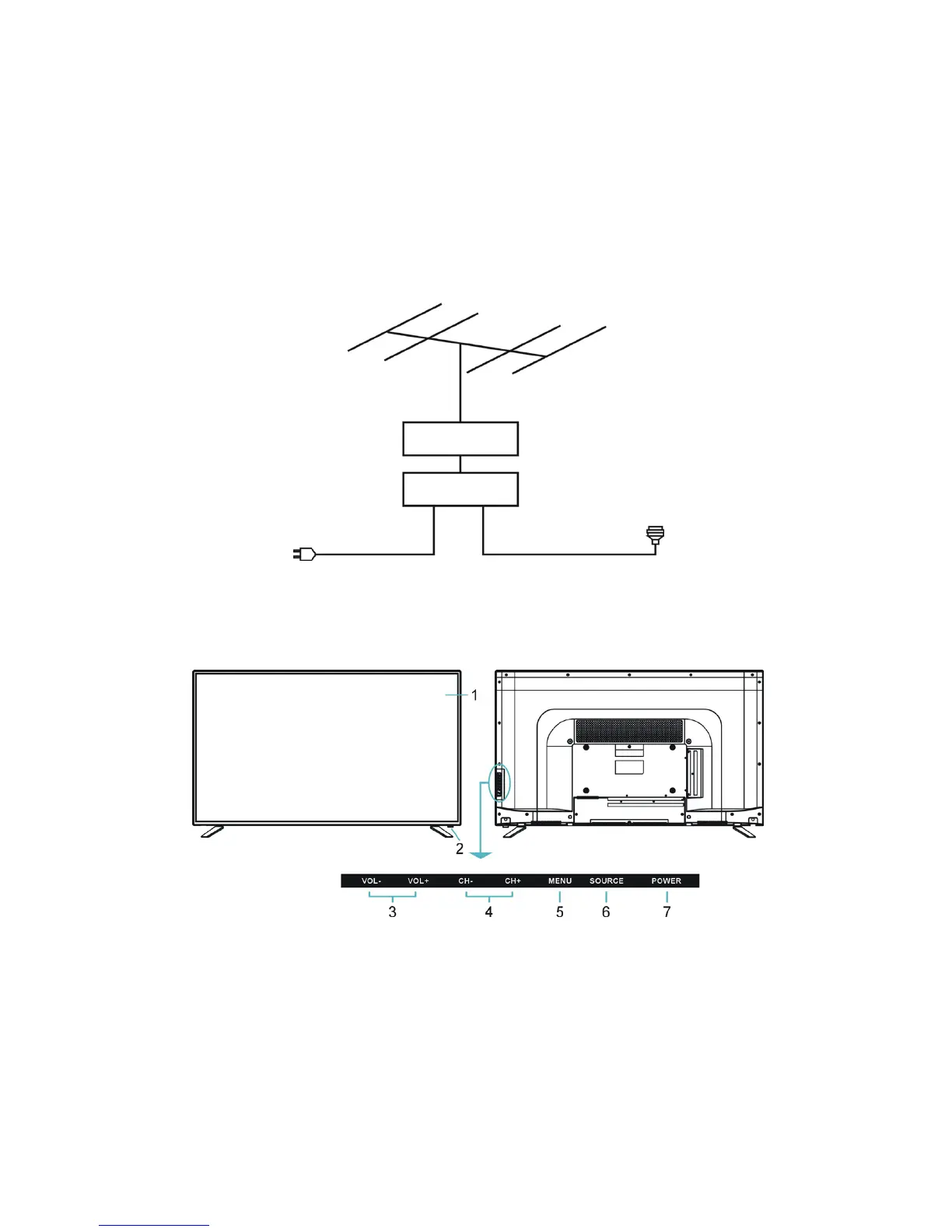
To ensure good picture and sound quality, a TV antenna system needs to be
connected. The antenna system as shown can be sourced from TV equipment stores,
which will provide service for the correct installation and connection. After installation,
insert the 75-OHM antenna plug into the antenna jack (RF) as shown below.
Front and Rear Panel Layout
Front View Back View
1. LED display screen
2. Remote control sensor/Power indicator: In standby mode the indicator
light is red; when switching on the unit the light will turn blue.
3. Vol +/- Button: Press to increase/decrease the volume or move left/right.
4. CH +/- Button: Press to select next/previous channel or move up/down.
5. Menu button: Enter the menu settings page.
6. SOURCE button: Press to select the input source.
7. POWER button: Press to turn the TV ON/OFF.



 To Next Page