23
First Time Powering on your TV
When you first power on your TV, (or when you reset the TV to its factory settings),
it will automatically enter the TV Auto Tuning mode. This is where the TV searches
for available TV channels and stores the channel details it finds. Make sure your TV
antenna is connected before proceeding with this operation.
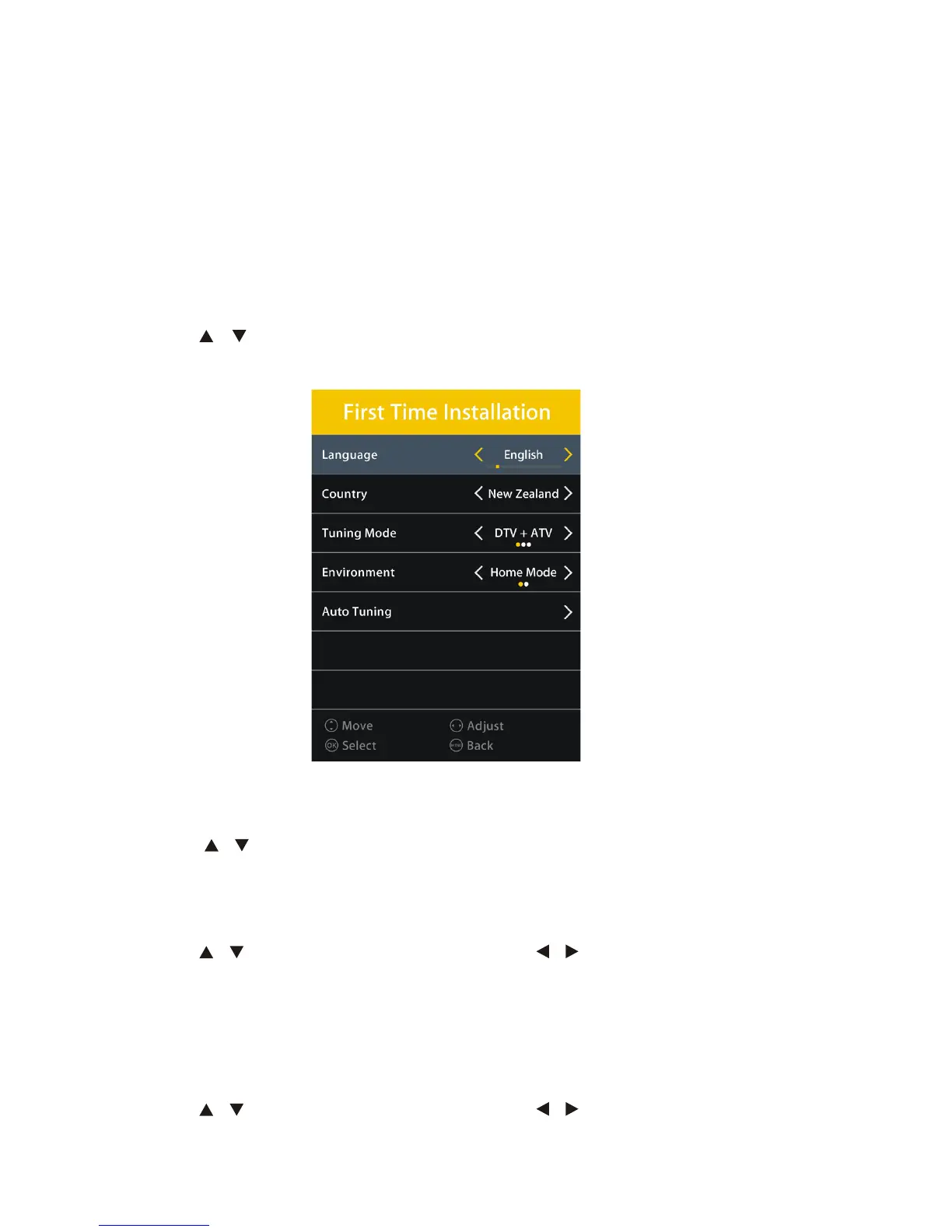
Language
Press the / buttons to select this option and the available OSD language for your
TV is English.
Country
Press the / buttons to select this option and the available country selection is
New Zealand.
Tuning Mode
Press the / to select this option and press the / buttons to select tuning TV.
Your TV will now scan through all the analogue TV (ATV) and digital TV (DTV) channels
that it can receive using the connected antenna. This process may take several
minutes, but once completed, the TV will show the first DTV program found.
Environment
Press the / to select this option and press the / buttons to select Home or
Store Mode.
Getting Started (Cont.)



 To Next Page