37
Multimedia Playback
MULTIMEDIA menu
• Press / / / buttons to select MULTIMEDIA menu, and press the OK to
enter submenu.
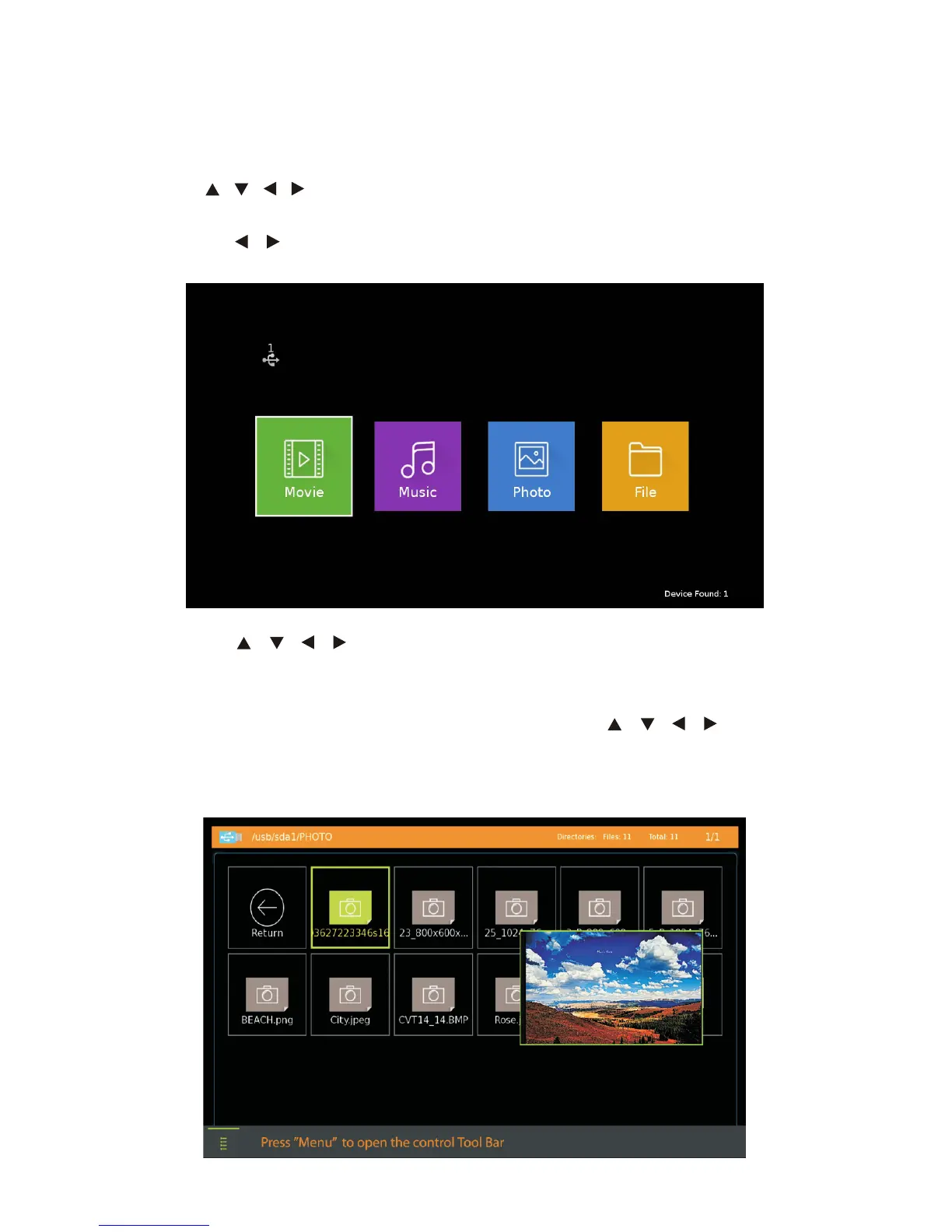
• Press the / buttons to select desired multimedia type: Movie, Music, Photo,
File. Then press the OK button to enter submenu.
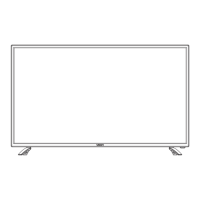
• Press the / / / buttons to select desired file and press the OK button to
start playback.
• Press the EXIT button to exit playback and return to the previous menu.
• Once you are inside the multimedia submenu, press the / / / buttons to
select the RETURN icon on top left corner of the submenu page, and press the
OK button to go to the main MULTIMEDIA menu page, like showing below image.



 To Next Page