26
Menu Navigation
• Press the SOURCE button to display the Input Source list.
• Press the / buttons to select the DTV input source
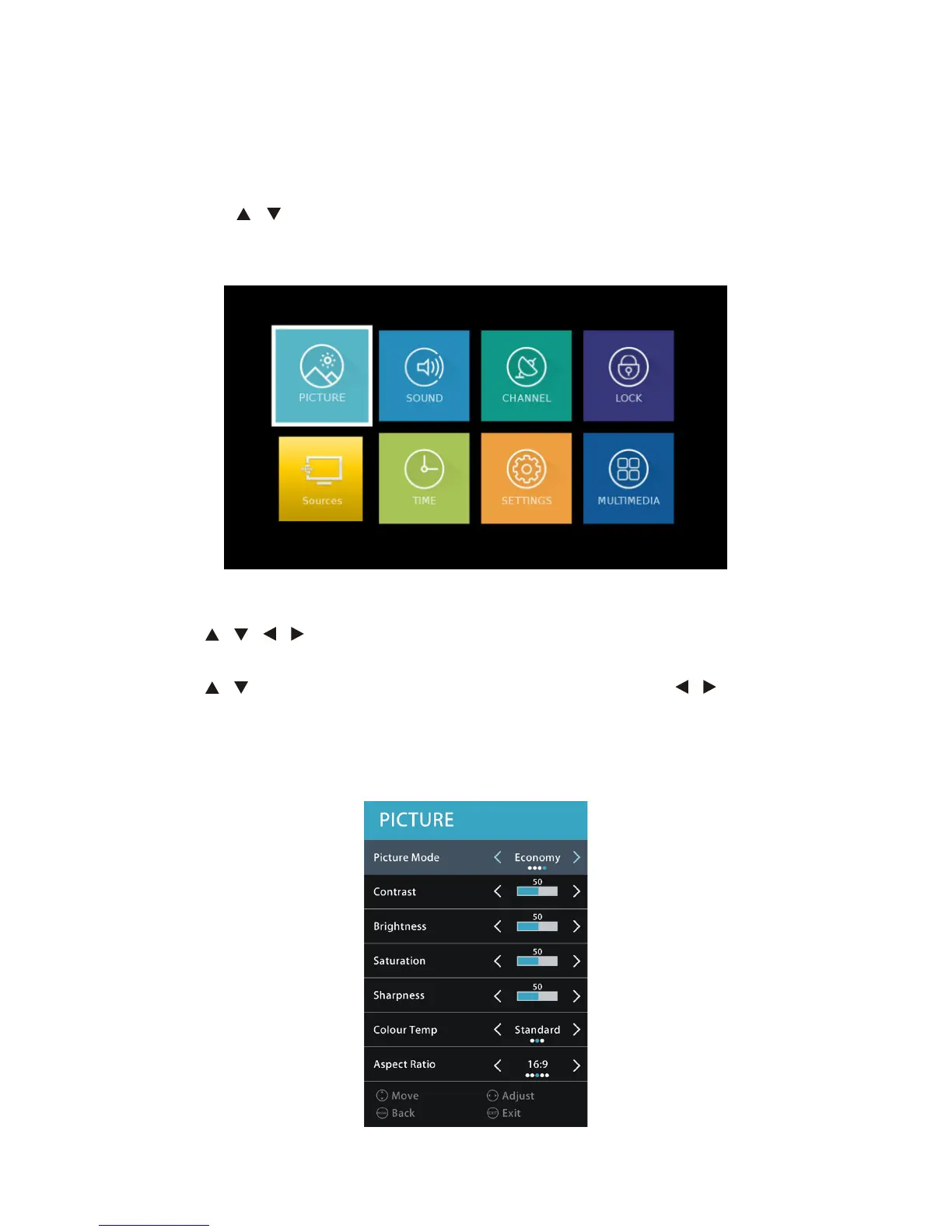
• Press the MENU button to display the main menu page.
• Press Exit to quit.
PICTURE menu
• Press / / / buttons to select PICTURE menu, and press OK to enter
submenu.
• Press / buttons to select each submenu option, and press / buttons to
adjust selection, then press OK to confirm.
• Press the MENU button to go back to the previous menu page.
• Press EXIT button to exit current menu.
Menu Settings



 To Next Page