22
Getting Started
Power Connection
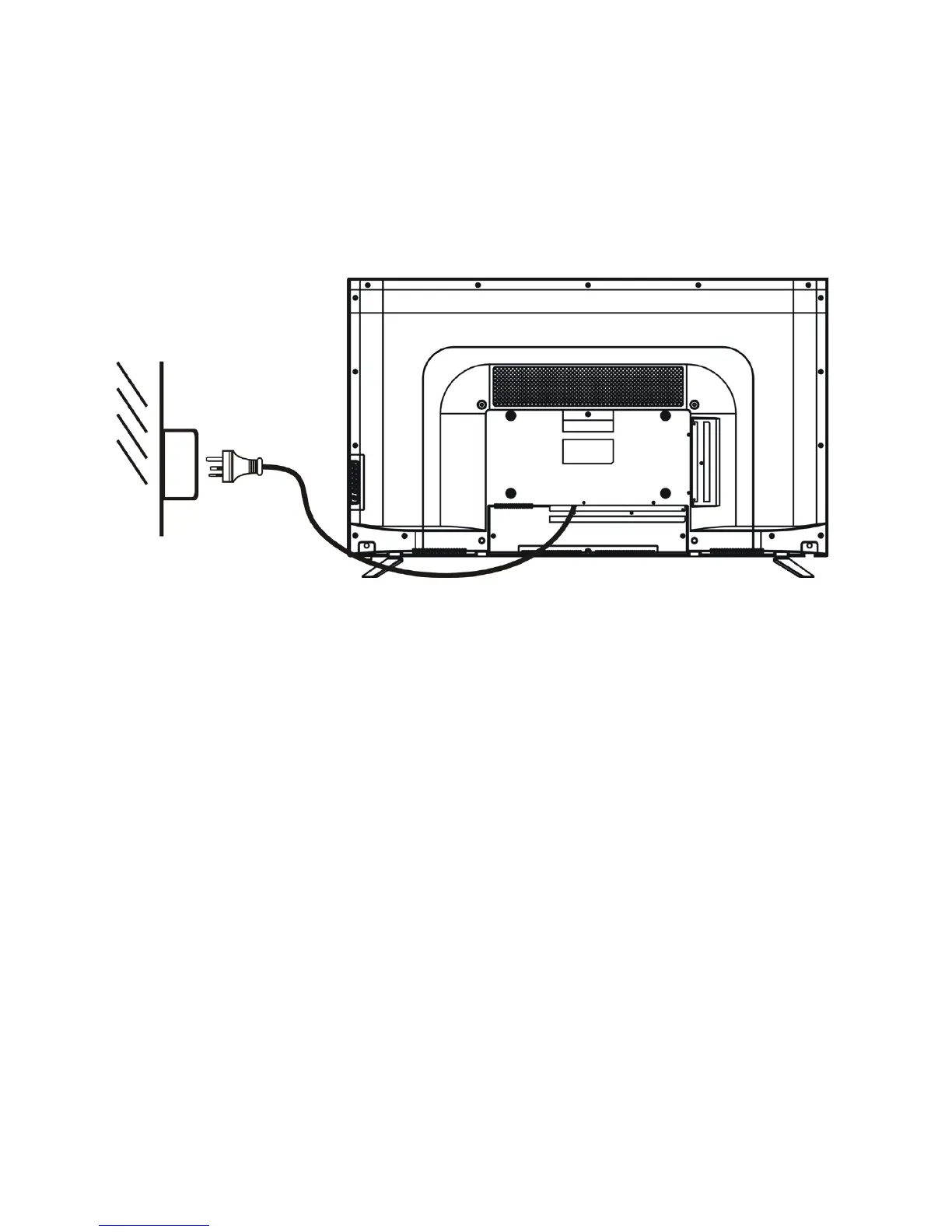
• Connect the power plug to the power outlet correctly as shown below.
• Press the POWER switch on your TV or remote control to switch the unit on.
The power indicator on the front panel lights up in blue.
Getting Started
Once you have connected your TV antenna and other AV playback equipment (ie. CD,
DVD,Blu-ray player) to the appropriate input sockets on the rear and side of the TV,
you will need to be comfortable with selecting several basic operations before setting
up your TV using the Menu system.
The TV has two power modes – Standby and On. In Standby mode, the TV is powered
up, but awaits a “Power On” command from either the remote control or from the
STANDBY push button located on the lower right-hand side of the TV.
To turn the TV from Off to Standby mode, activate the main On/Off switch located at
the bottom right side of the TV, and wait for the red power indicator on the bottom
right of the TV to light up. Then, press the red power button on the remote control to
fully activate the TV (ie. move from Standby to On mode). The power LED light on the
front of the TV will change from red to a blank colour when the TV is fully powered on,
and after approx 10 seconds the screen will become active and can be commanded
using the remote control.



 To Next Page