16
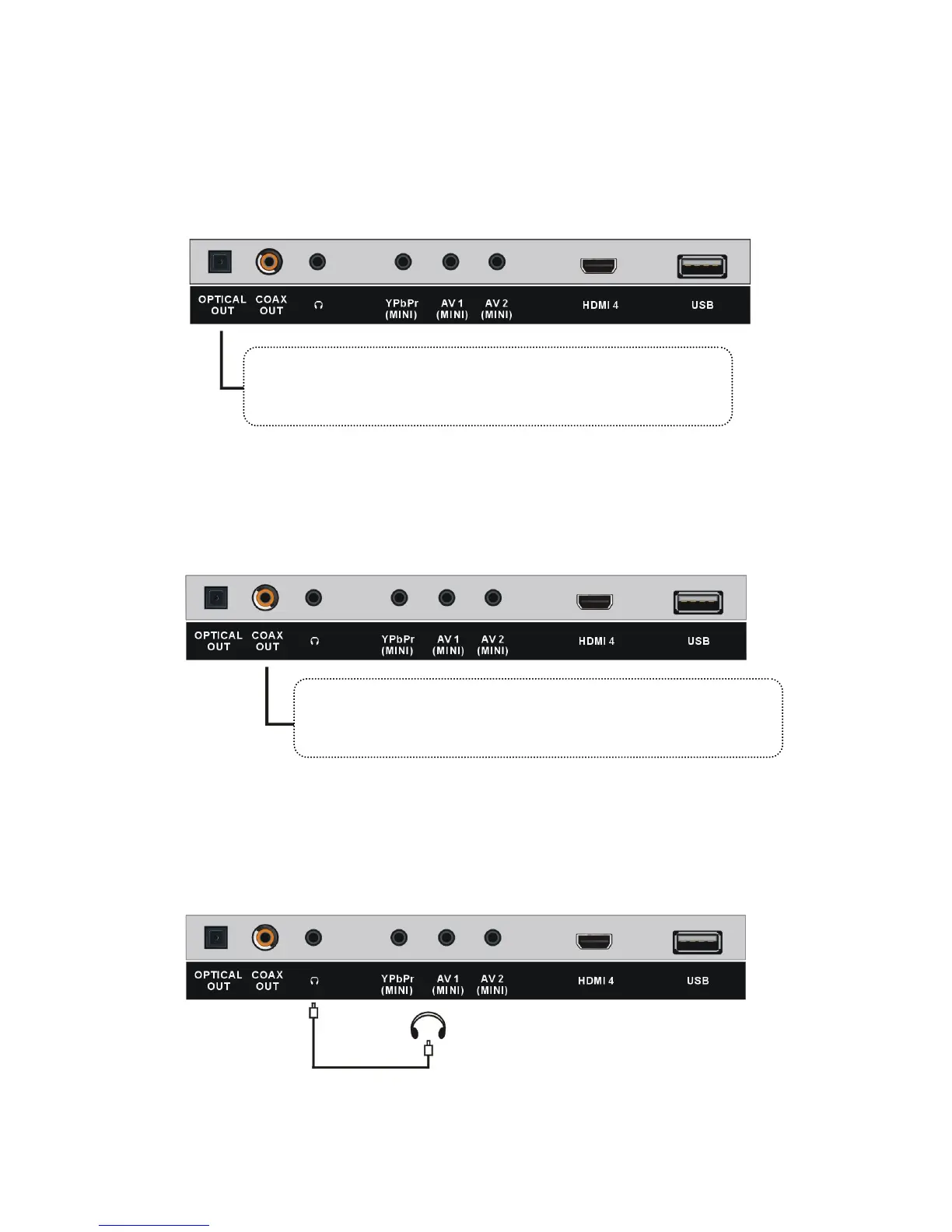
Optical Out connection
Connect to amplifier or other audio decoding devices for digital audio connection.
NOTE: Before connecting optical jack, pull out the plastic plug first.
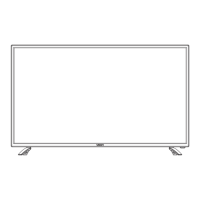
Coaxial (S/PDIF) connection
Connect to an amplifier to or other audio decoding devices for digital audio
connection.
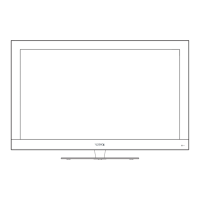
Earphone connection
Insert your headphones into the earphone output.
Installation (Cont.)
COAXIAL CONNECTION
OPTICAL CONNECTION
USB CONNECTION
EARPHONE CONNECTION
Earphone cable
(Not included)
USB Memory Device
(Not included)
Use coaxial cable (not included) to connect the unit with amplifier
or other audio decoding devices for coaxial audio signal output.
Use coaxial cable (not included) to connect the unit with amplifier
or other audio decoding devices for coaxial audio signal output.
OPTICAL CONNECTION
USB CONNECTION
EARPHONE CONNECTION
Earphone cable
(Not included)
USB Memory Device
(Not included)
Use coaxial cable (not included) to connect the unit with amplifier
or other audio decoding devices for coaxial audio signal output.
Use coaxial cable (not included) to connect the unit with amplifier
or other audio decoding devices for coaxial audio signal output.
COAXIAL CONNECTION
OPTICAL CONNECTION
USB CONNECTION
EARPHONE CONNECTION
Earphone cable
(Not included)
USB Memory Device
(Not included)
Use coaxial cable (not included) to connect the unit with amplifier
or other audio decoding devices for coaxial audio signal output.
Use coaxial cable (not included) to connect the unit with amplifier
or other audio decoding devices for coaxial audio signal output.



 To Next Page