Forecourt Controller Interface Installation Guide 17
August 11, 2016
4. Repeat these steps to install additional boards, installing the boards in
locations 2, 3, and 4 as shown in the picture in step 2 above.
Jumper Settings for Current Loop Boards
Verify that the jumper settings below are correctly set for Commander.
– JP9—CL current selector: 20mA, 30mA, or 45mA (default)
– JP10—Select Communication mode: 1-2=Current Loop (CL),
2-3=RS232(default)
– JP11—A test point ground that should remain empty
(no jumper)
– JP13—Select Master/Client board: 1-2=Master, 2-3=Client
Installing the RS485 Boards
The RS485 Board 8-Channel Interface Kit (Kit # 29376-01) supports RS485
communications and must be used for Dresser Wayne CAT/Ovation, Tokheim
DPT, Bennett Secure Payment Module (SPM), and Verifone Secure PumpPAY
installations.
To install the RS485 boards:
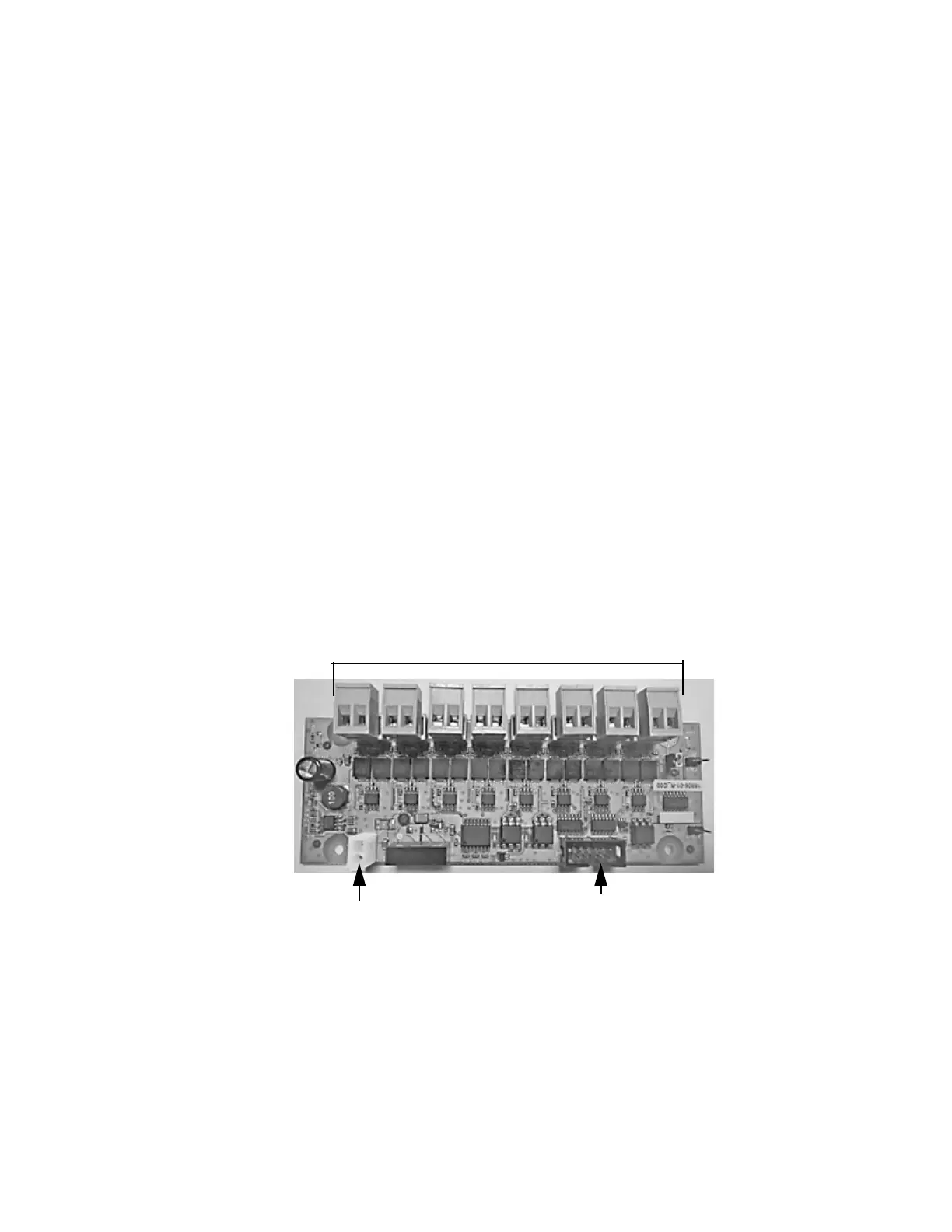
1. Locate the RS485 board (P/N 18806-01-R) provided with the RS485 kit.
Connector Blocks (8)
Ribbon Cable
Connector
Power
Connector


 To Next Page