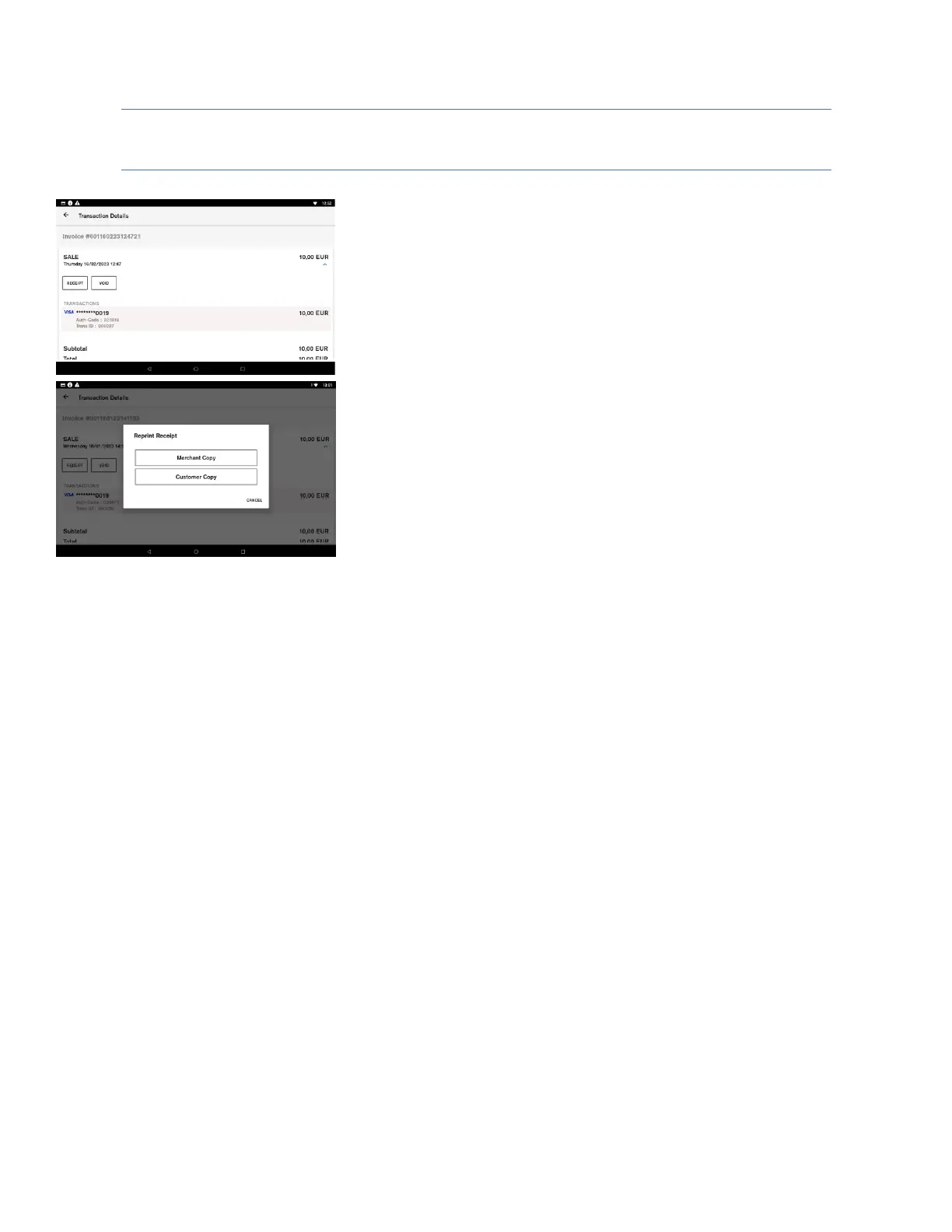
Transaction details and receipt reprint
Description
Transaction history details can be accessed by selecting an item in Connect
Express Transaction History List. It shows more detailed information about
each order.
User action
The user can press the “Receipt” button to print copies of both the
merchant and the customer receipts for the selected order.
The user can press the “Void” button to generate a reversal for the
selected order. (Described in pages 21-22)
Description
After the “Receipt” button is selected, the terminal prompts the user to
select the which receipt copy needs to be printed.
User action
The user selects which receipt copy is needed.













 To Next Page