REPORTS
Description
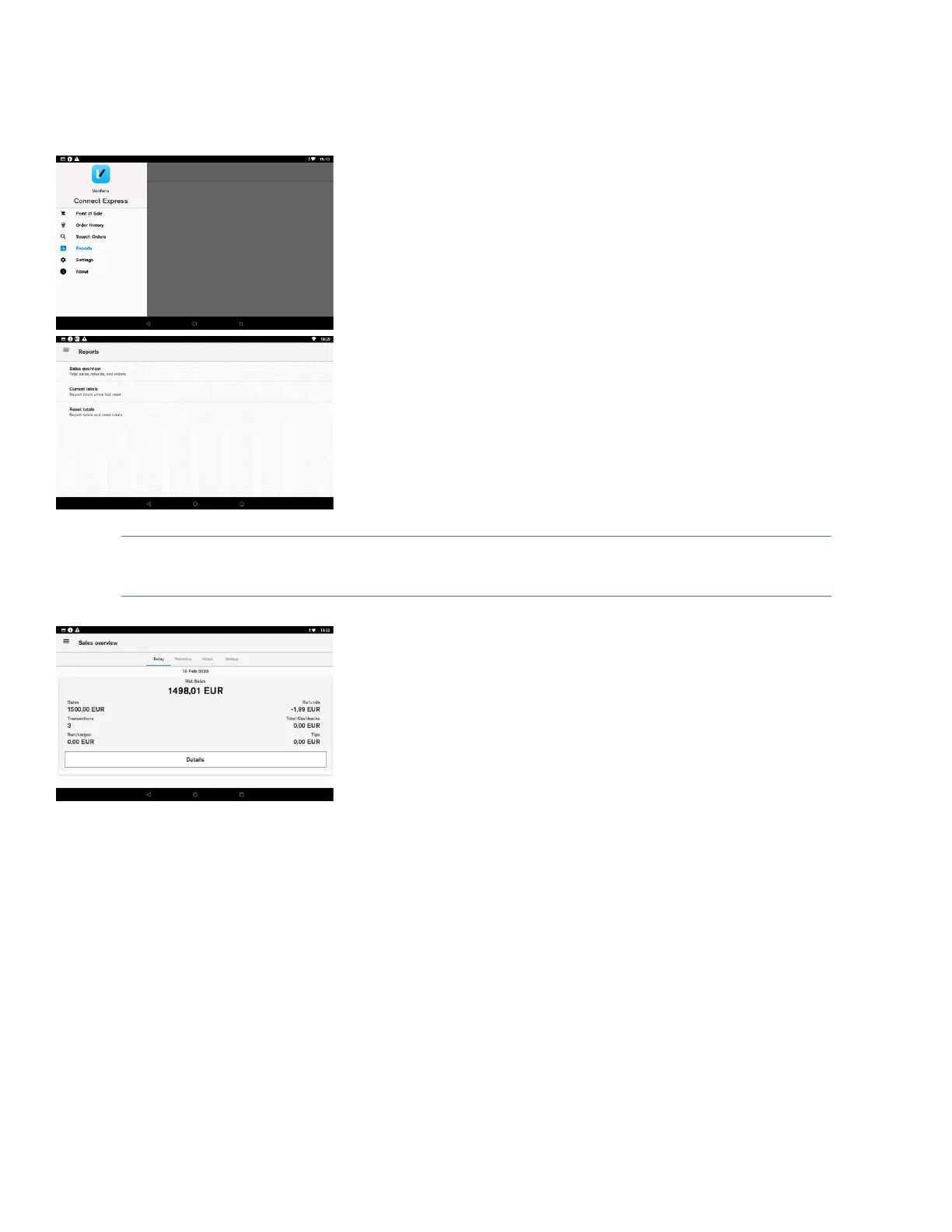
The user can access the reports menu by selecting reports from the
Connect Express administration menu. Reports menu consists of sales
overview, current totals and reset totals. In order to access the reports,
the user must enter the passcode.
User action
The user must select one of the available reports.
Sales overview
Description
Sales overview shows the number of transactions and total amount for
purchase, refund, tax, tip and cash out. The overview also shows the net
purchase amount summarising all orders.
There is an easy menu selection to show order summary for current day,
yesterday, last 7 days and last 30 days.
User action
The user selects the “Details” button. The terminal will show all
transactions that have been made that day (week, month). This will be
displayed in the “Search Transactions” menu.
The user selects the “Print” button. The terminal will print the small totals
report with the same information displayed on the terminal screen













 To Next Page