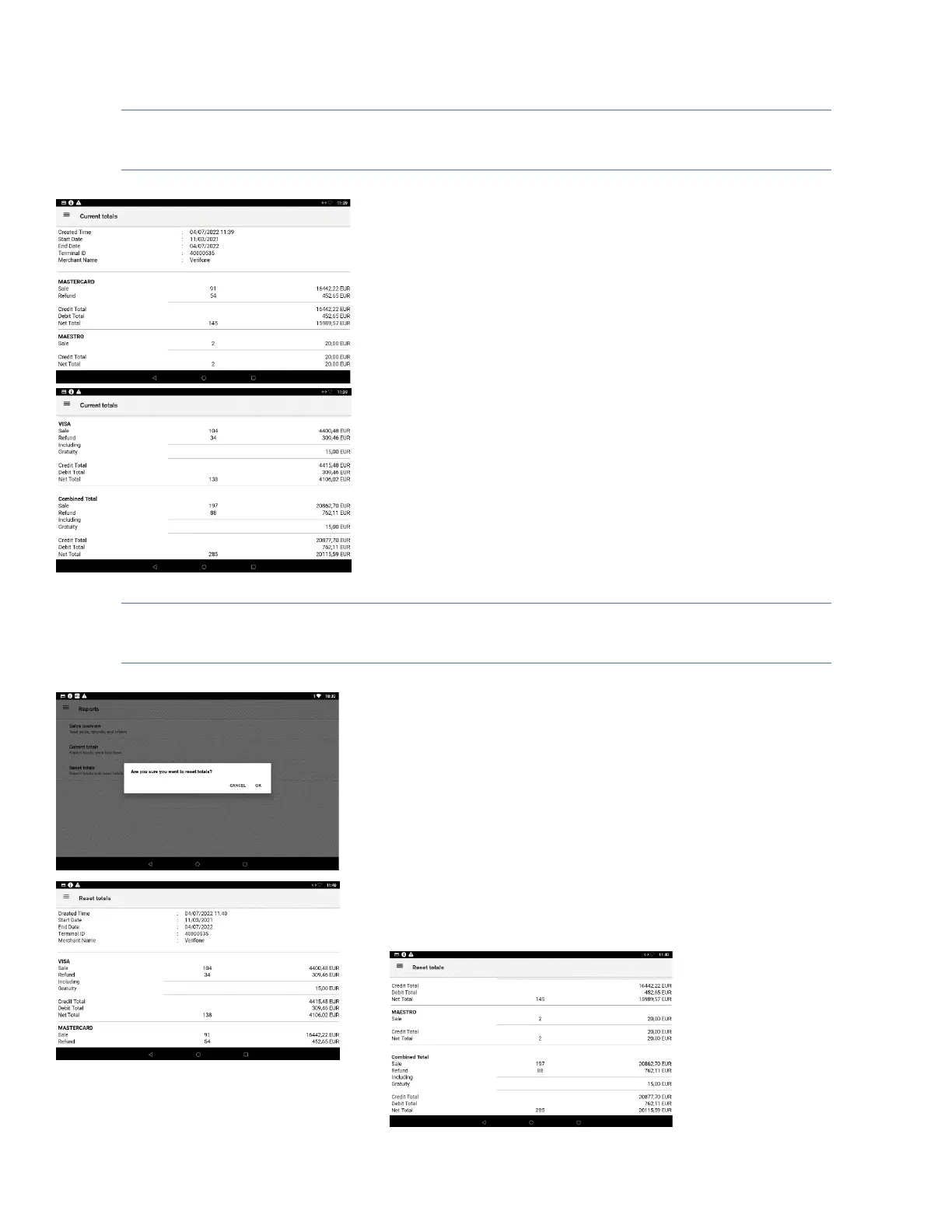
Current totals report
Description
Current totals show the list of all transaction types with total amounts
grouped by card scheme and the combined totals since las reset. The
current totals report is the X reports or end of shift report.
User action
The user can view the current totals report.
The user can print the current totals report by pressing the printer symbol
at the top right corner.
Reset totals report
Description
Before the user can reset totals, the terminal will ask for confirmation. On
confirmation, the current totals are reset, and a report is shown. The reset
totals report shows the list of all transaction types with total amounts
grouped by card scheme and the combined totals. The reset totals report
is the Z report, or end of day report.
User action
The user must press the “OK” button to reset totals
The user can view the reset totals report.
The user can print the reset totals report by pressing the printer symbol
at the top right corner.













 To Next Page