TERMINAL HARDWARE
Full software update
Description
Full software updates are pushed from VHQ server and includes a new
version of the Android operating system and services and a new version
of Verifone’s Engage secure processor software.
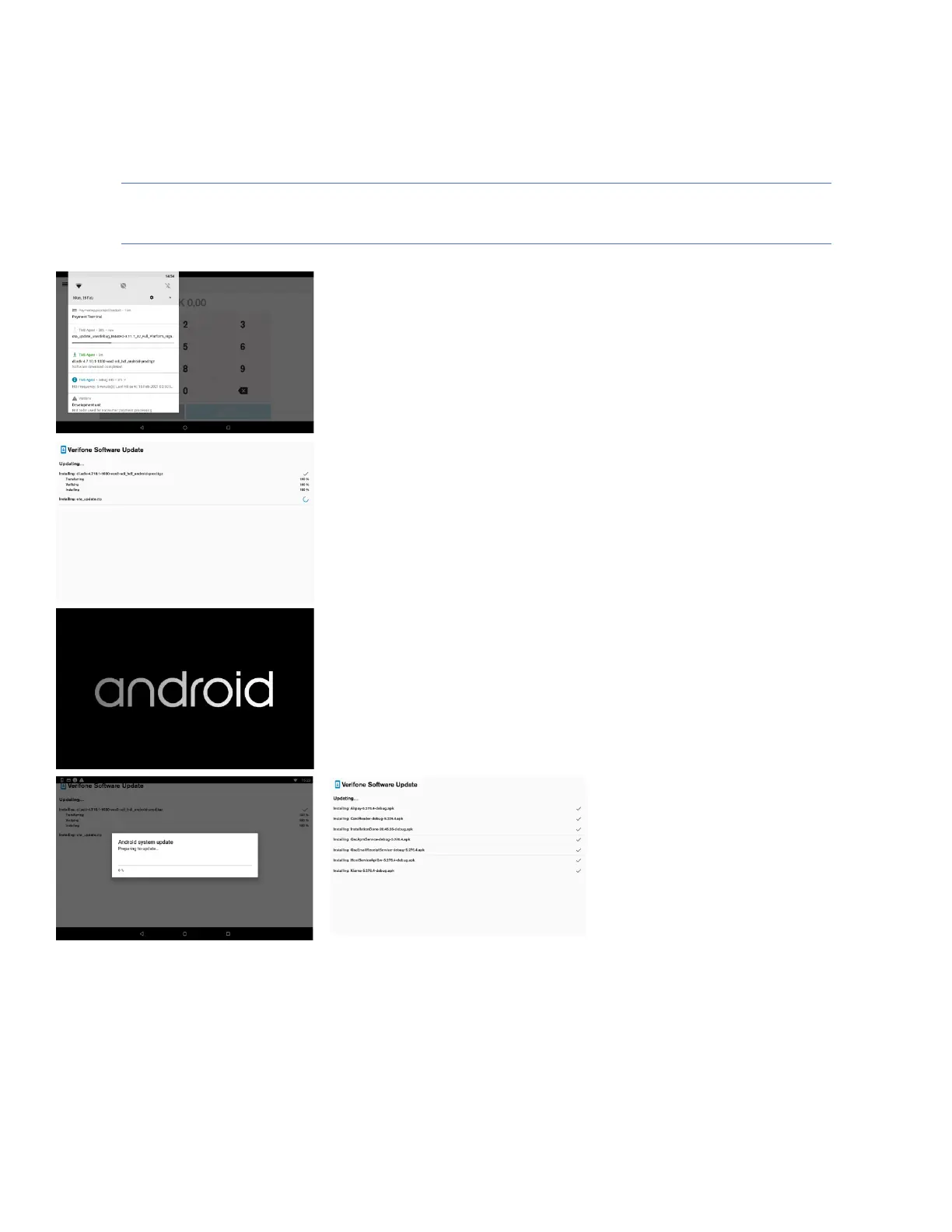
1) Shows progress of software download.
2) Shows software verification progress after the software
download completes. Successful verification is followed
by device reboot.
Note: This software update cannot be interrupted by the User. Be ready
for a device reboot after the software update verification completes.
3) The Terminal is rebooting to apply software update.
4) Shows progress information about the software update
5) Shows information about software components being
installed on device after reboot. Shows the update result
success or failure.
Note: Please wait for the software update to complete. In case of failure
contact the Helpdesk.













 To Next Page