Secure PumpPAY Retrofit Kit Configuration Guide
November 10, 2011 5
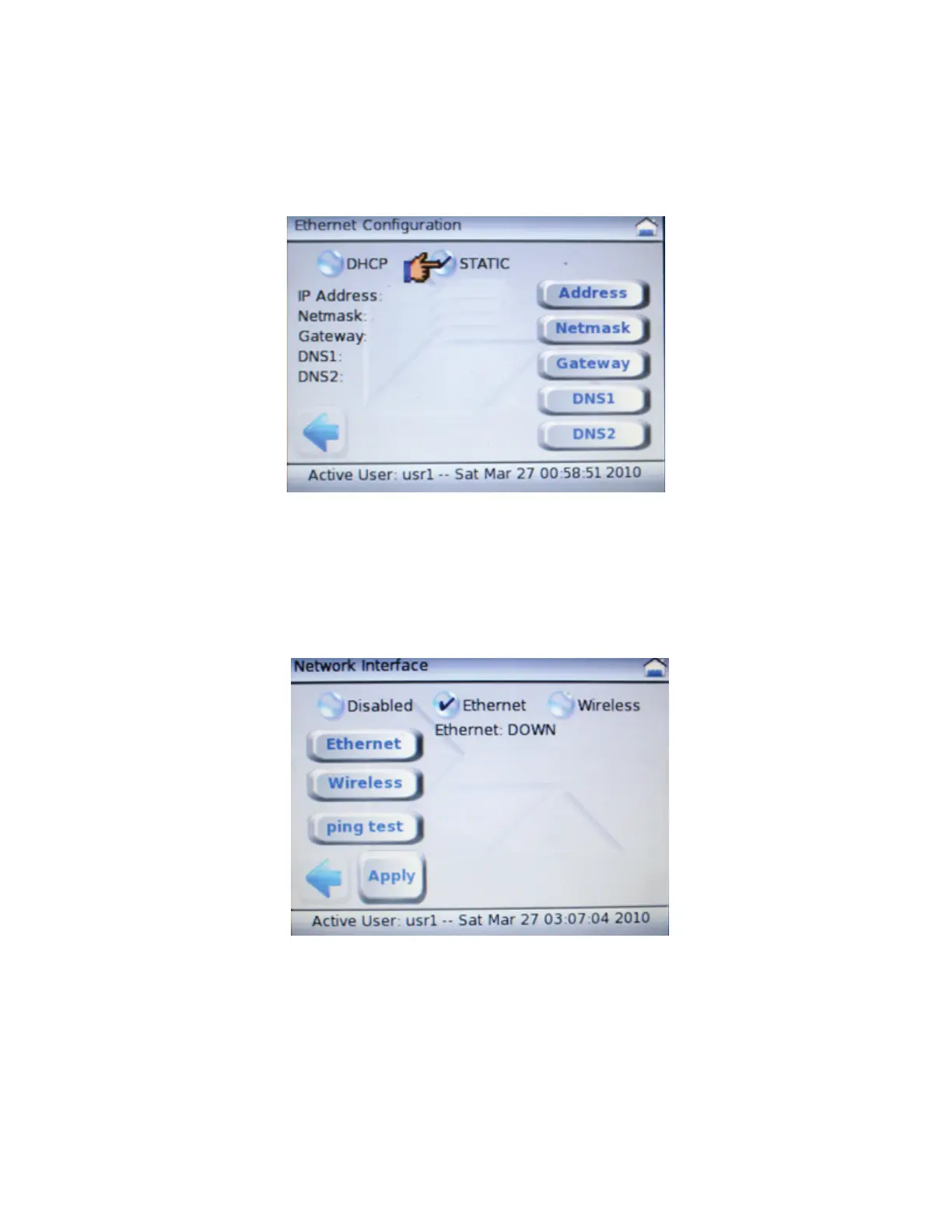
4. From the Ethernet Configuration menu, select the STATIC round button, and then select the
Address oval button to enter the IP Address. (Note that you must enter all digits; for example,
2 would be entered as 002). After you have entered the IP Address, press [ENTER] to return
to the Ethernet Configuration menu.
5. From the Ethernet Configuration menu, select the Netmask oval button to enter the Netmask.
(Note that you must enter all digits; for example, 2 would be entered as 002). After you have
entered the Netmask, press [ENTER] to return to the Ethernet Configuration menu.
6. From the Ethernet Configuration menu, select the Back Arrow icon to return to the Network
Interface menu, and then select Apply to set the new IP Address.
Note: If you do not select Apply, the IP Address will not be set.
7. To return to the System Mode menu, select the Left Arrow twice.
8. After successful completion, exit System Mode by selecting
FILE MANAGER and then RUN
APPLICATION.



 To Next Page