November 10, 2011 1
1 Configuring the Secure PumpPAY Software
This chapter describes how to configure Secure PumpPAY MX 760 terminal after the Retrofit Kit has
been installed.
Important:Before you begin, be sure the switch on the RS232/RS485 Converter (P/N 13976-01) is
set to 2W (2-wire). If the switch is not set correctly, DCR communications between
Secure PumpPAY and the Ruby will fail. Also, make sure the converter is connected to
the power port of the Ruby.
Using the Keypad
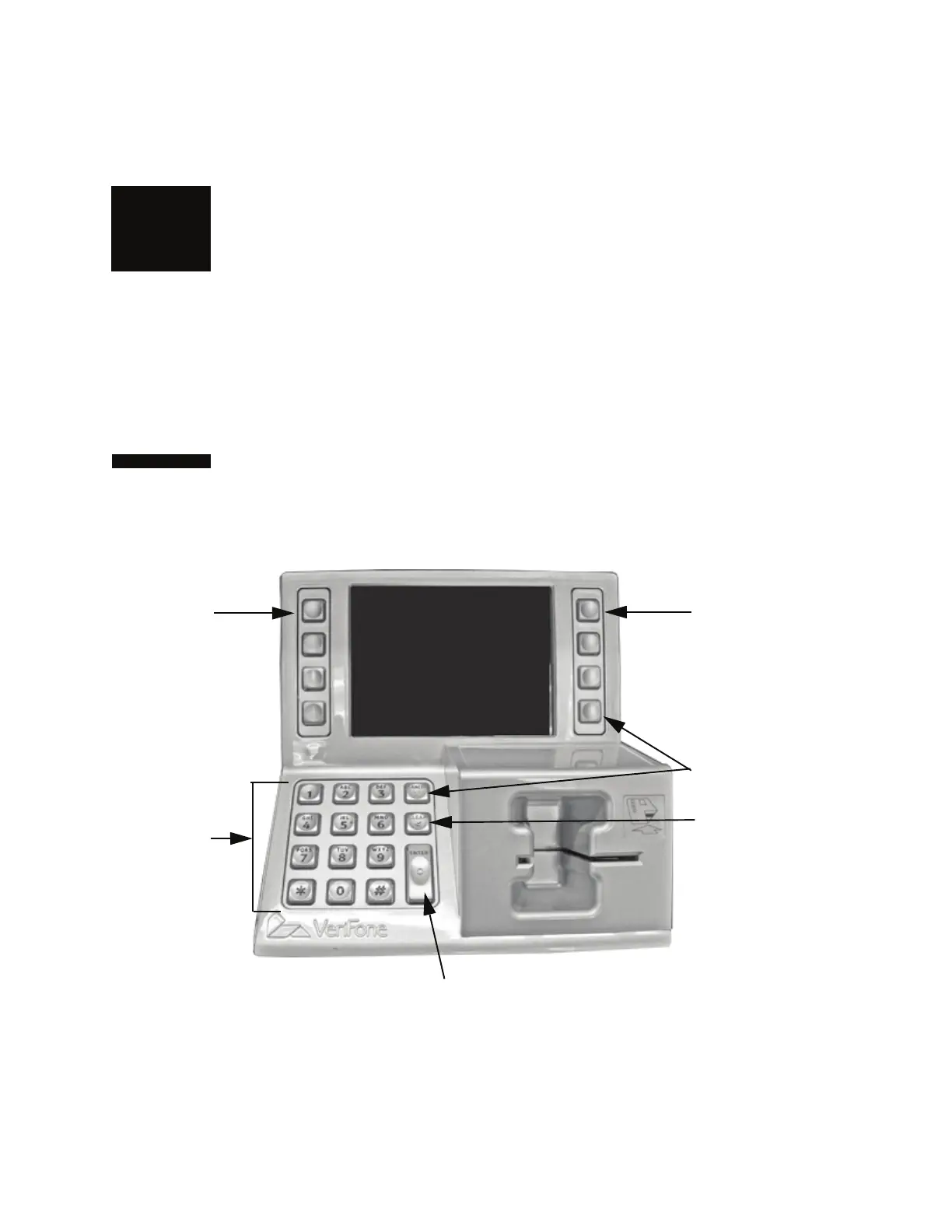
The keys you use to configure the MX 760 terminal are described in the following illustration.
Note: Press [
*
] on the keypad to move the cursor to the left. Press [#] on the keypad to move the
cursor to the right.
Scroll ahead
through
options.
ENTER. Select options
and accept numeric entries.
CLEAR.
Go back to
previous
menu.
Scroll back
through
options.
Enter
numeric
data.
CANCEL.
Reject or delete
entries.



 To Next Page