Secure PumpPAY Retrofit Kit Configuration Guide
November 10, 2011 3
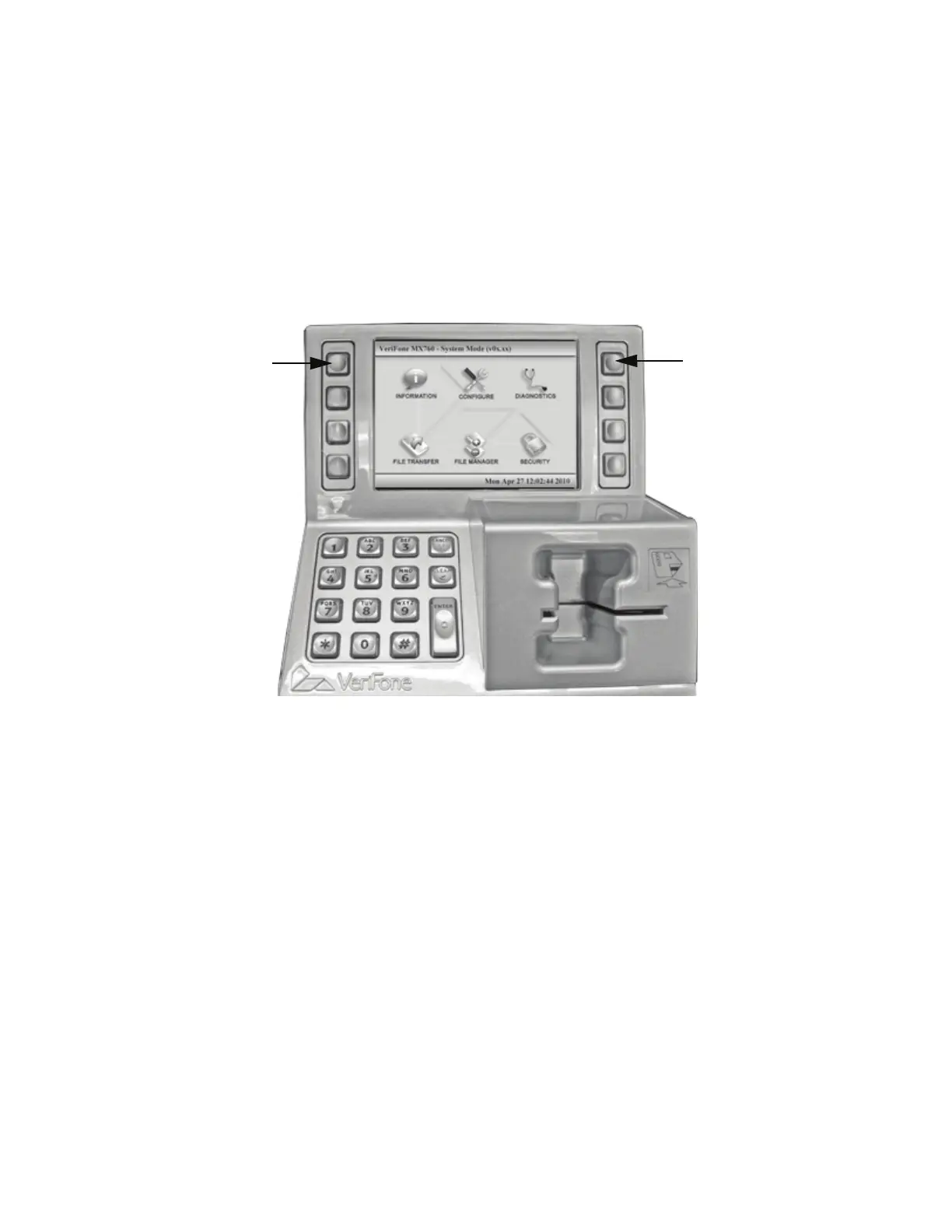
4. To navigate through the menu screens and select functions, use one of the following methods:
a. Use the menu keys as follows:
– Press the top, left menu key once to display a hand-shaped cursor. Press the key additional
times to move cursor over icons in a counter-clockwise (forward) direction. When the
cursor is over the function you want to select, press [ENTER].
– Press the top, right menu key once to display a hand-shaped cursor. Press the key
additional times to move cursor over icons in a clockwise (backward) direction. When the
cursor is over the function you want to select, press [ENTER].
b. Use the numeric keypad as follows:
– Press 1 to select Information.
– Press 2 to select Configure.
– Press 3 to select Diagnostics.
– Press 4 to select File Transfer.
– Press 5 to select File Manager.
– Press 6 to select Security.
– Press 7 to select the Left Arrow (if visible)
– Press 8 to navigate up (when applicable).
– Press 9 to select the Right Arrow (if visible).
– Press 0 to navigate down (when applicable).
–Press
*
to move cursor counter-clockwise.
–Press
# to move cursor clockwise.
Press to Move
Forward Through
Menu
Press to Move
Backwards Through
Menu



 To Next Page