20 MX 900 Series Installation Guide
May 13, 2015
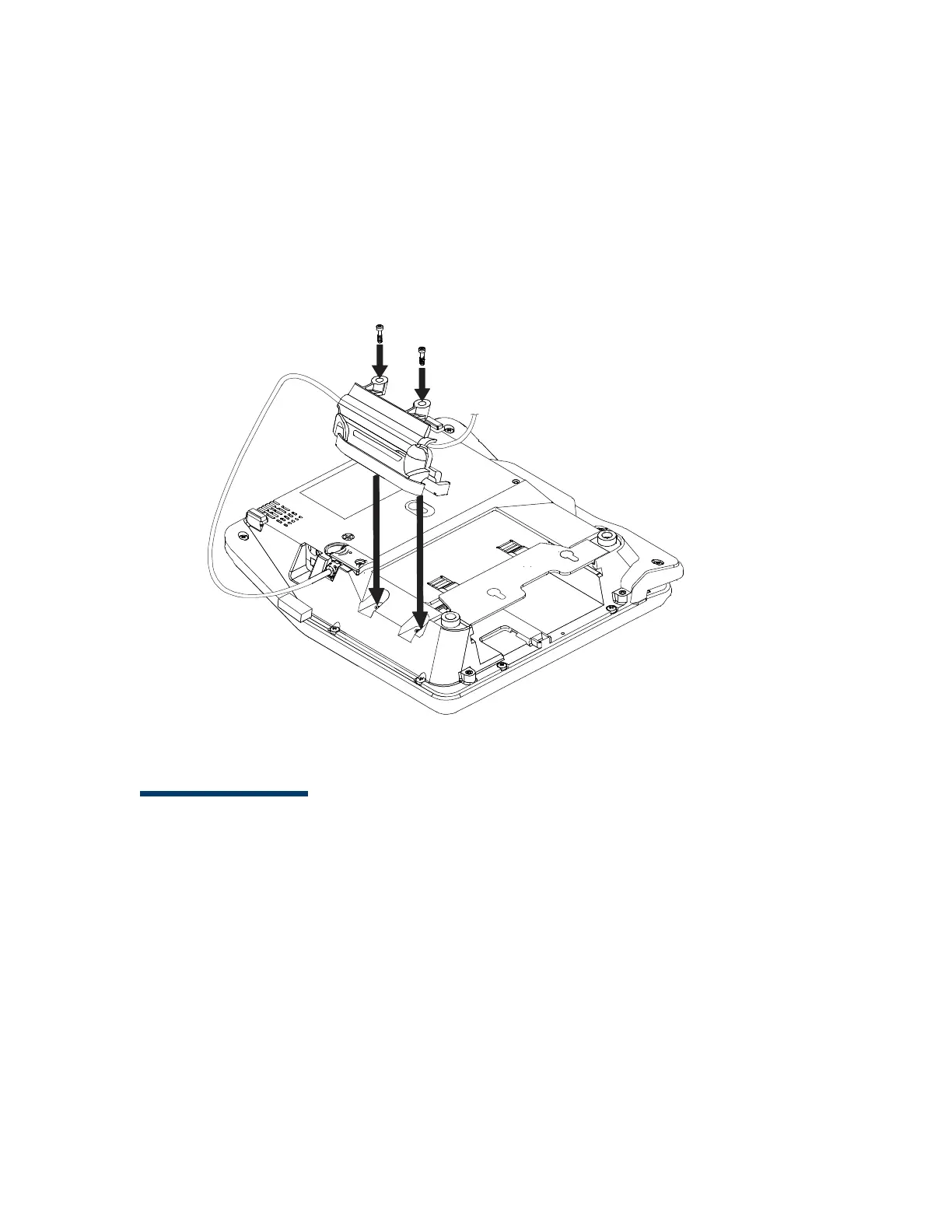
5. Locate the two screw holes for attaching the holster. Route the stylus
cable through a channel in the holster. The white stripe on the stylus
cable must be aligned with front edge of the holster. The cable should be
in the channel between the holster and the terminal. Attach the holster
using the two screws.
Note: Make sure that the tabs or pegs on the holster body align properly
in the holes on the terminal housing before tightening the screws.
Connecting the Device
This section provides brief descriptions of possible MX 900 Series terminal device
connections and the power pack connection. For complete information about
installing and using an optional device, see the user documentation supplied
with that device.
Note: Ensure that the multiport cable or I/O module is not connected to a
power pack before attaching to the MX 900 Series terminal.













 To Next Page