MX 900 Series Installation Guide 27
May 13, 2015
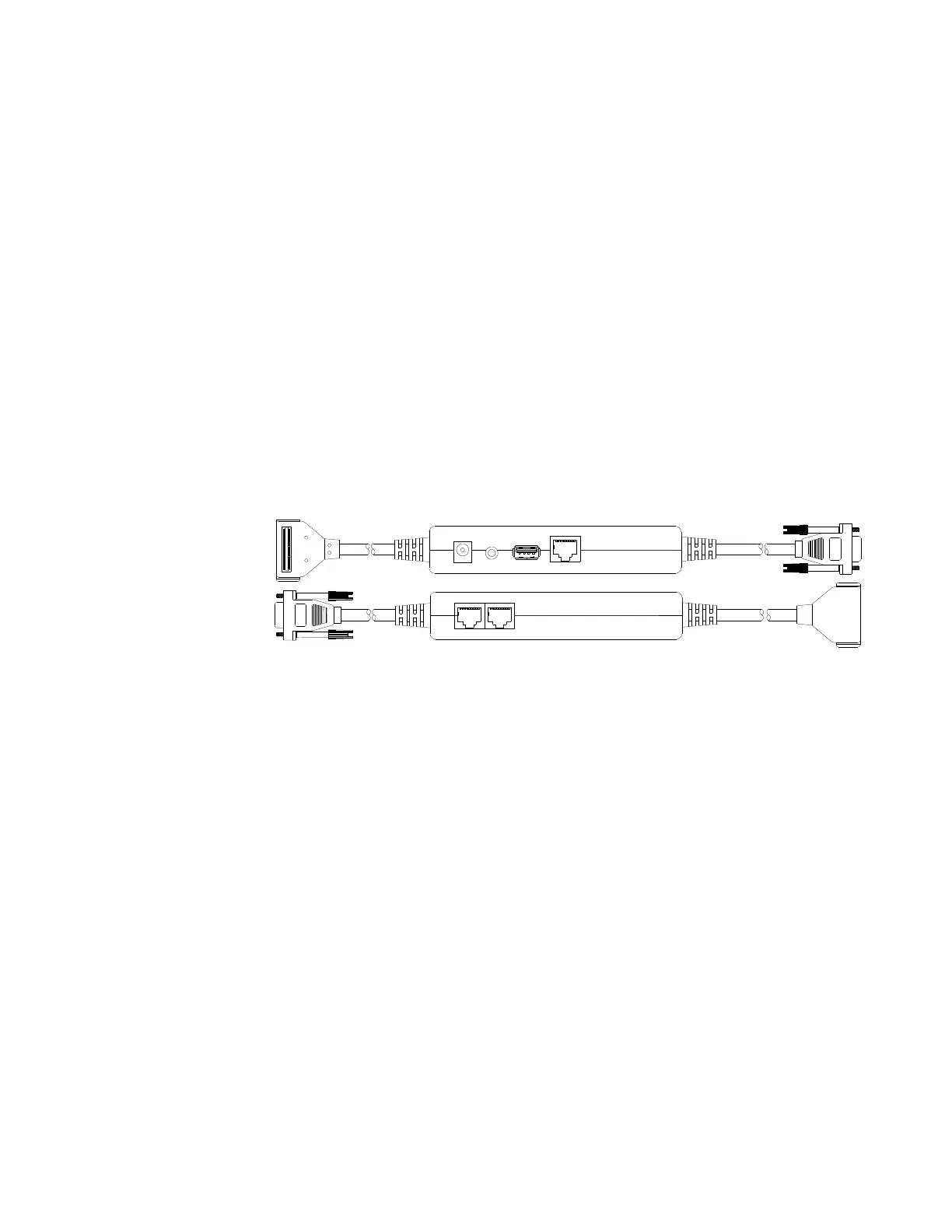
Multiport Cable
The MX 900 Series terminals can use a multiport cable to make the following
connections:
■ ECR Tailgate
■ Ethernet LAN
■ Serial cable
■ USB Host
■ USB device
■ Power input
■ Audio output
Note: Some multiport cables require additional cabling to work; for example a
pigtail for certain ports or Ethernet cable.
Multiport Cable, P/N 23740-02 Rev. A
Caution: Improper installation or removal of the terminal connector may
permanently damage the MX 900 Series terminal.
The following precautions must be taken with multiport cables:
■ Use the Ethernet port on the I/O module only if the multiport cable is not
attached. Otherwise, use the Ethernet port on the multiport cable.
■ Do not force the terminal connector into place.
■ Always make sure that all of the pins are lined up in correct parallel
fashion before applying light pressure to snap the terminal connector into
place.
■ Disconnecting the power source during transaction processing may cause
loss of transaction data.
Ethernet
USBAudio +12V
COM 1 COM 2













 To Next Page