SYSTEM MODE
System Mode Menus
P200/P400 R
EFERENCE GUIDE 29
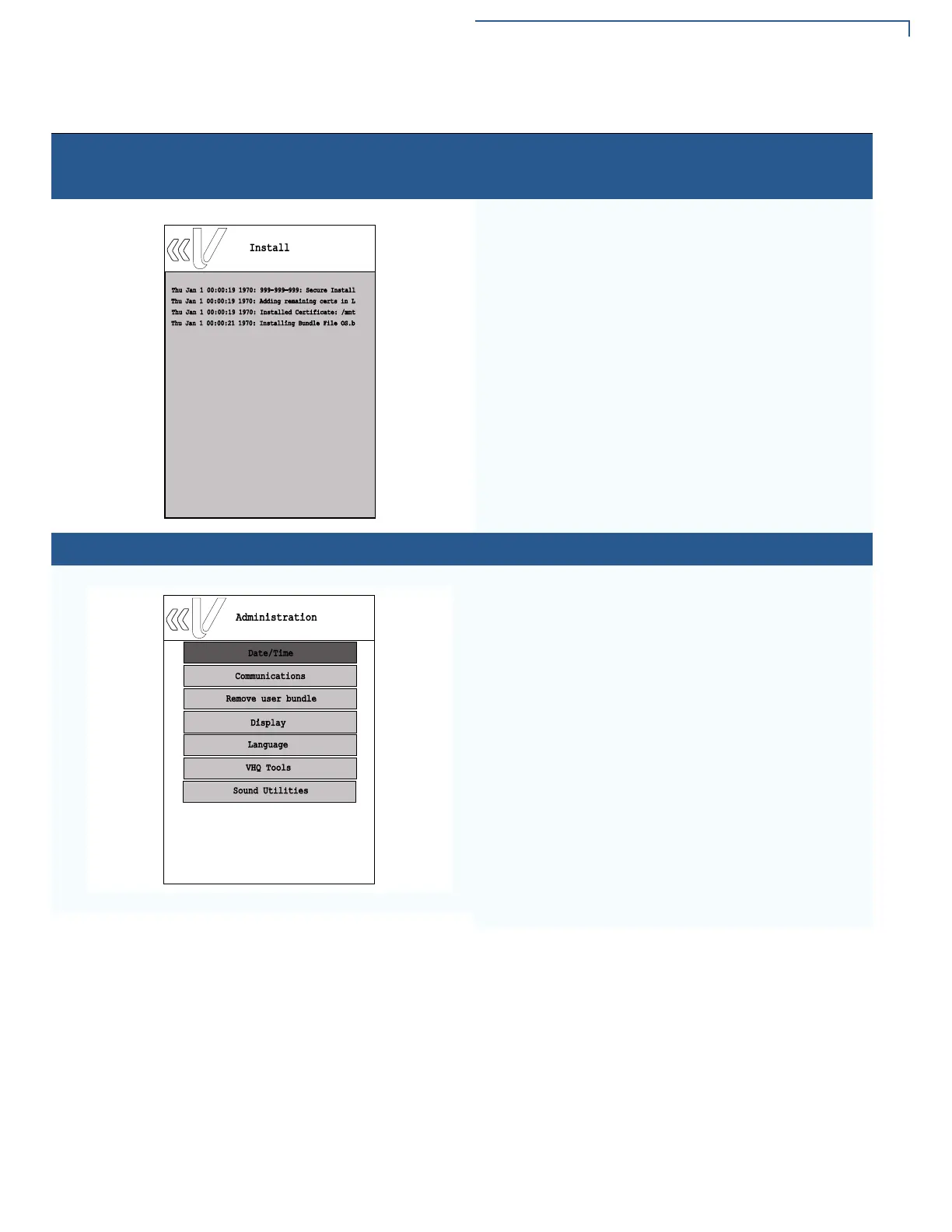
Home > Information > Logs > Install
Sample Installation log screen.
Home > Administration
Select the Administration panel from the main System
mode menu to change the following PINpad settings:
To set terminal date and time, select Date/Time.
To set configuration settings for Ethernet, USB Gadget,
Serial, Wi-Fi, iBeacon, USB, or Mini-USB, select
Communications.
To remove user bundle, select remove user bundle.
To adjust display brightness, select Display.
To set or add extra language, select Language.
To set VHQ configuration, select VHQ Tools.
To adjust volume, select Sound Utilities.
Table 5 System Mode Submenus (continued)
Display Action
Install
Thu Jan 1 00:00:19 1970: 999-999-999: Secure Install
Thu Jan 1 00:00:19 1970: Adding remaining certs in L
Thu Jan 1 00:00:19 1970: Installed Certificate: /mnt
Thu Jan 1 00:00:21 1970: Installing Bundle File OS.b
Date/Time
Administration
Communications
Remove user bundle
Language
Display
VHQ Tools
Sound Utilities














 To Next Page