GETTING TO KNOW YOUR FIOS
HOME WI-FI EXTENDER
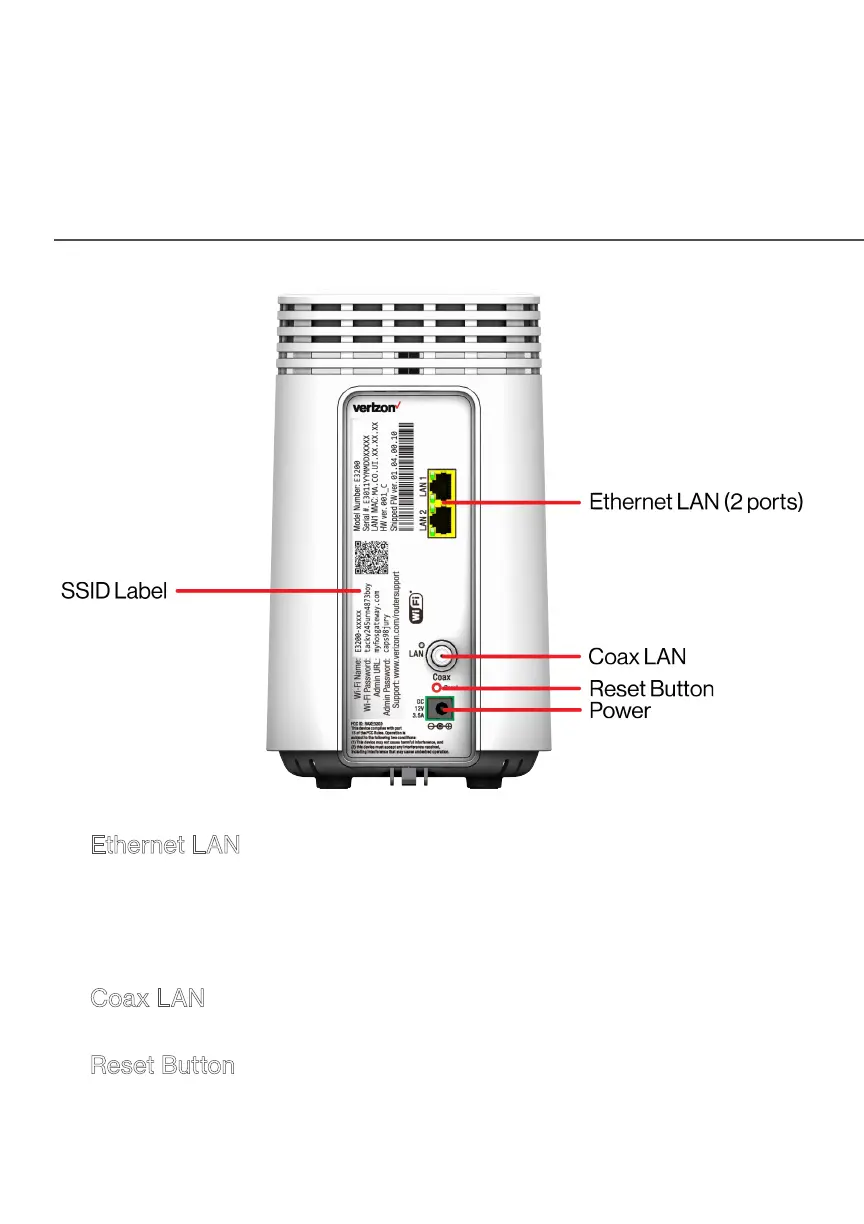
• Ethernet LAN - connects devices to your
Fios Home Wi-Fi Extender using Ethernet cables to join the
local area network (LAN). The two Ethernet LAN ports are
10/100/1000 Mbps auto-sensing and can be used with either
straight-through or crossover Ethernet cables.
• Coax LAN - connects your Fios Home Wi-Fi Extender to the
LAN and/or to other MoCA devices using a coaxial cable.
• Reset Button - allows you to reset your
Fios Home Wi-Fi Extender to the factory default settings. To
perform a soft reboot, press and hold the button for at least
three seconds. To reset your Fios Home Wi-Fi Extender to the



 To Next Page