21
/ CONNECTING YOUR
FIOS EXTENDER
verizon.com/fios | ©2020 Verizon. All Rights Reserved
Note: The IP address of the Fios Extender was assigned by the Fios
Router if the Extender connects to the Router.
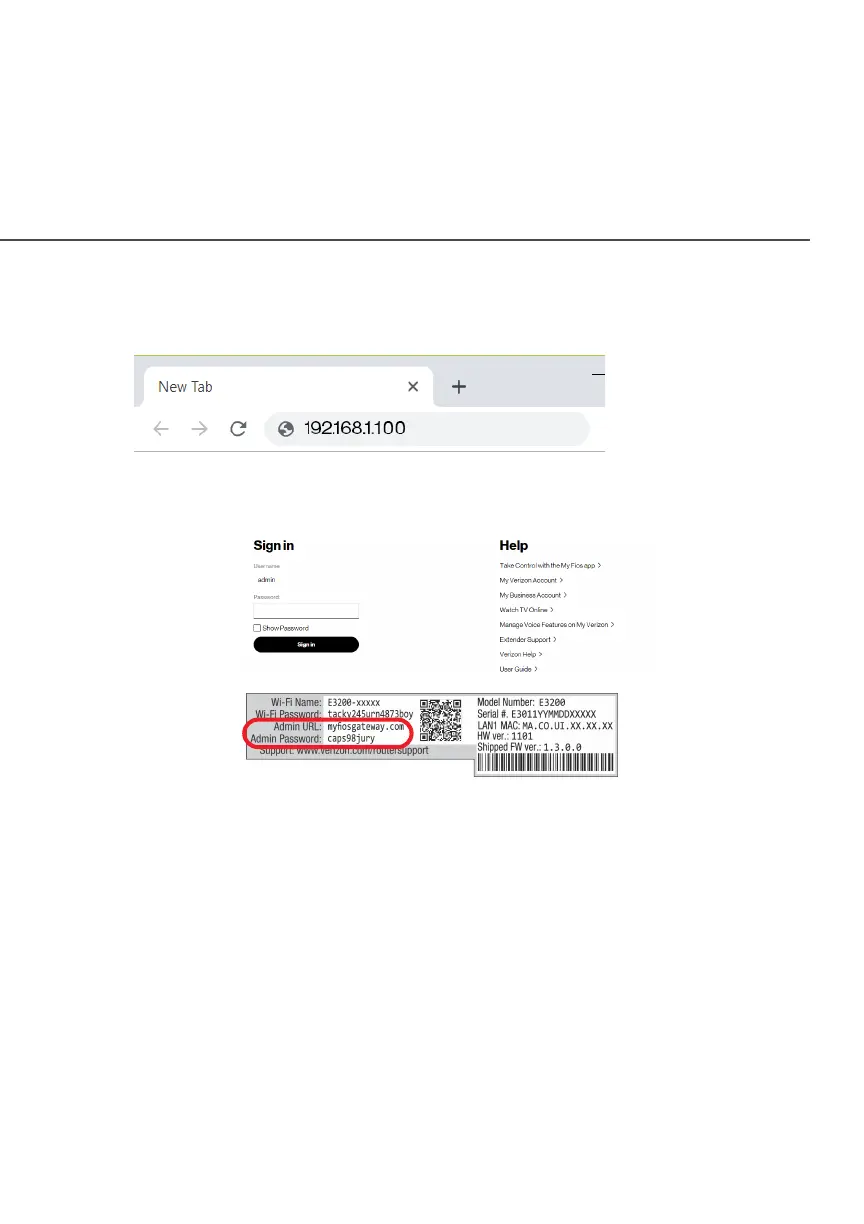
3. Enter the password that is printed next to the Admin
Password on the label on the rear of your Fios Extender.
Note: The Fios Extender has an admin password that is dierent
from the Fios Router. When the Extender connects to the Router
via Coax, Ethernet, or Wi-Fi, the extender is assigned the password
of the Router. At this time, the Extender doesn’t have the ability to
use the admin password on the rear label and only uses the same
password as the Router.



 To Next Page