Verizon 4G LTE Network Extender User Guide v0.8 10
Copyright © 2020, All Rights Reserved.
2.3 Wall Mount(Outbox Accessory)
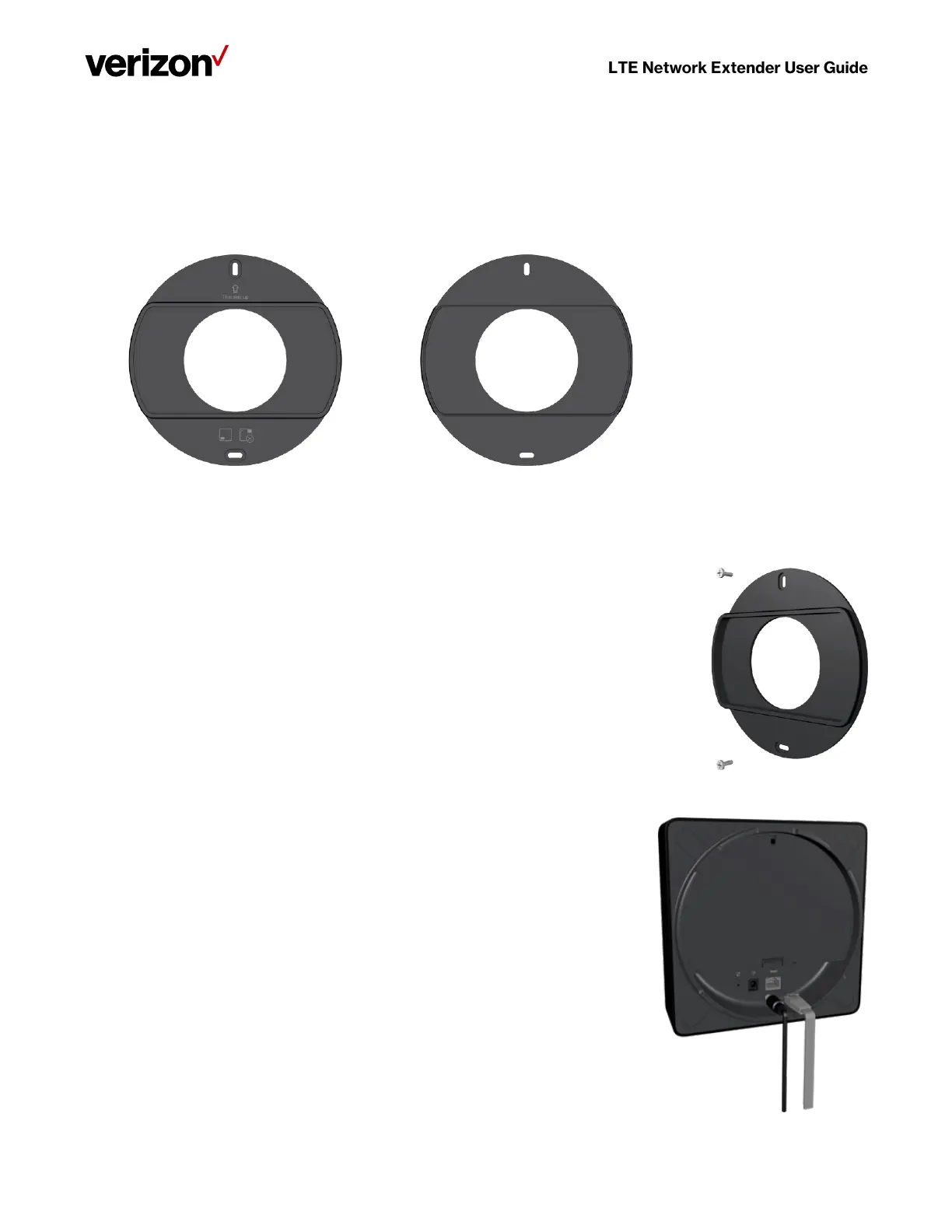
A separate wall-mount bracket package is available (sold separately) for your LTE Network Extender. This enables you to fix
your extender directly to a wall for better positioning.
1. Screw the included wall mount bracket into desired position on a wall securely, ensuring it’s the correct way up.
(Screws are included with the wall-mount).
2. Make sure all cables are already connected to your 4G LTE Network Extender.



 To Next Page