4G LTE Network Extender
Verizon 4G LTE Network Extender User Guide
Copyright © 2020
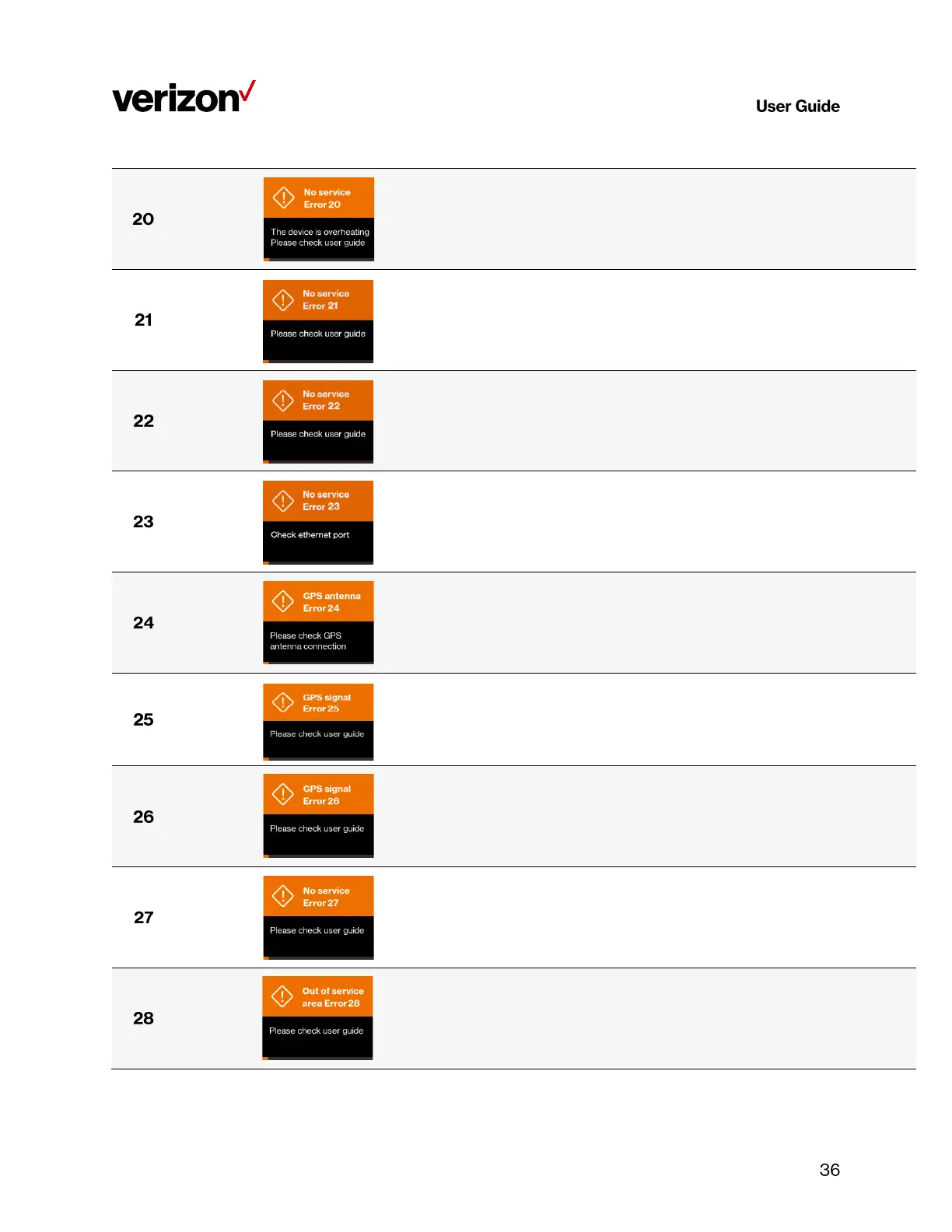
No service Error 20
The device is
overheating
Please check user
guide
The LTE Network Extender is overheating; please place this
device in a cool area where the temperature is between 32-122
degrees Fahrenheit.
No service Error 21
Please check user
guide
The LTE Network Extender is experiencing a catastrophic
hardware failure with the antenna. Please call Customer Service
(800-922-0204).
No service Error 22
Please check user
guide
There is an abnormally low transmission signal from your LTE
Network Extender affecting the functionality of the device. The
device will try to reboot itself in a moment; please don't unplug
your extender. If the issue continues after auto-reboot, please
call Customer Service (800-922-0204).
No service Error 23
Please check user
guide
The Ethernet port on the LTE Network Extender is not
operational, please check the Ethernet cable is properly
connected at both ends, and that the switch, router or Internet
gateway is turned on.
GPS antenna Error 24
Please check user
guide
No GPS antenna is detected in the LTE Network Extender, please
make sure a GPS antenna module is set up and connected to the
device. If the issue persists, please call Customer Service (800-
922-0204).
GPS antenna Error 25
Please check user
guide
The LTE Network Extender has not been able to acquire a GPS
signal for the past 24 hours. As a result, the device can no longer
provide service. Please try to move your GPS antenna closer to
the window. If the issue continues, you may need to acquire an
outdoor GPS antenna.
GPS signal Error 26
Please check user
guide
The LTE Network Extender has failed to acquire the minimally
required GPS signal, please try to move your GPS antenna closer
to the window, refer to 2.1 Setup: Extender, 2.2 Setup: GPS & 5.
Troubleshooting. If the issue persists, please call Customer
Service (800-922-0204).
No service Error 27
Please check user
guide
The LTE Network Extender failed to establish IPSec tunnel to
connect to SeGW, and the device can no longer provide service to
your mobile devices. Please check the LAN/firewall settings or
contact your network administrator, if the issue persists, please
call Customer Service (800-922-0204).
Out of service area
Error 28
Please check user
guide
The LTE Network Extender is out of Verizon's service area; it
could be that Verizon service is not available in your area. Please
try restarting your device again. If the issue persists, please call
Customer Service (800-922-0204).



 To Next Page