www.versitron.com -16- SG71090
2.4 Removing the Modules
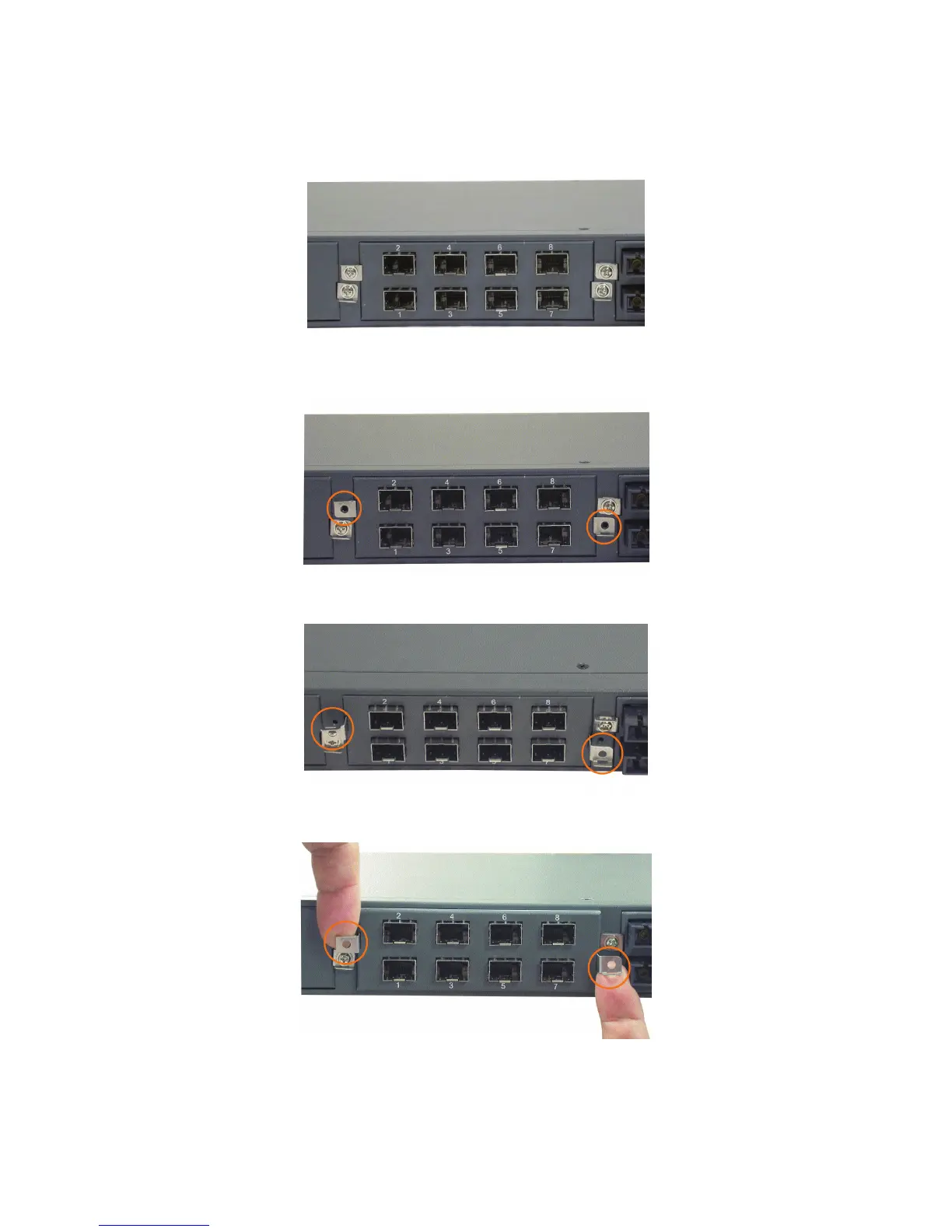
The steps to remove an installed module are as follows:
1. Remove the screws securing the module to the switch chassis:
2. Slide out the screw tabs:
3. Use the screw tabs as handles to slide the module out from the internal slot connector:
4. Remove the module from the slot.


 To Next Page