www.versitron.com -21- SG71090
Auto-negotiation Function
The ports are featured with auto-negotiation function and full capability to support connection to any Ethernet
devices. The port performs a negotiation process for the speed and duplex configuration with the connected
device automatically each time a link is being established. If the connected device is also auto-negotiation
capable, both devices will configure to the best performance option after negotiation process. If the connected
device is incapable in auto-negotiation, the switch will sense the speed and use half duplex for the connection.
Port Configuration Management
For making proper connection to an auto-negotiation INCAPABLE device, it is suggested to use the port
control function via the software management to set forced mode and specify speed and duplex mode which
match the configuration used by the connected device.
2.10 Making Fiber Optic SFP Connections
The dual-speed SFP slot must be populated with a fiber optic SFP module to make fiber connections. The fiber
optic SFP modules are sold separately. Please refer to Appendix A for a list of available VERSITRON SFP
modules.
The SFP slots can be populated with either 100Base or 1000Base, multi-mode or single-mode fiber optic SFP
modules. Therefore it is important to match the fiber type, communication speed, and wavelength of the device
connected on the other end of the fiber. If these criteria do not match, the SG71090 and the device on the other
end of the fiber will not communicate.
Installing a fiber optic SFP Module
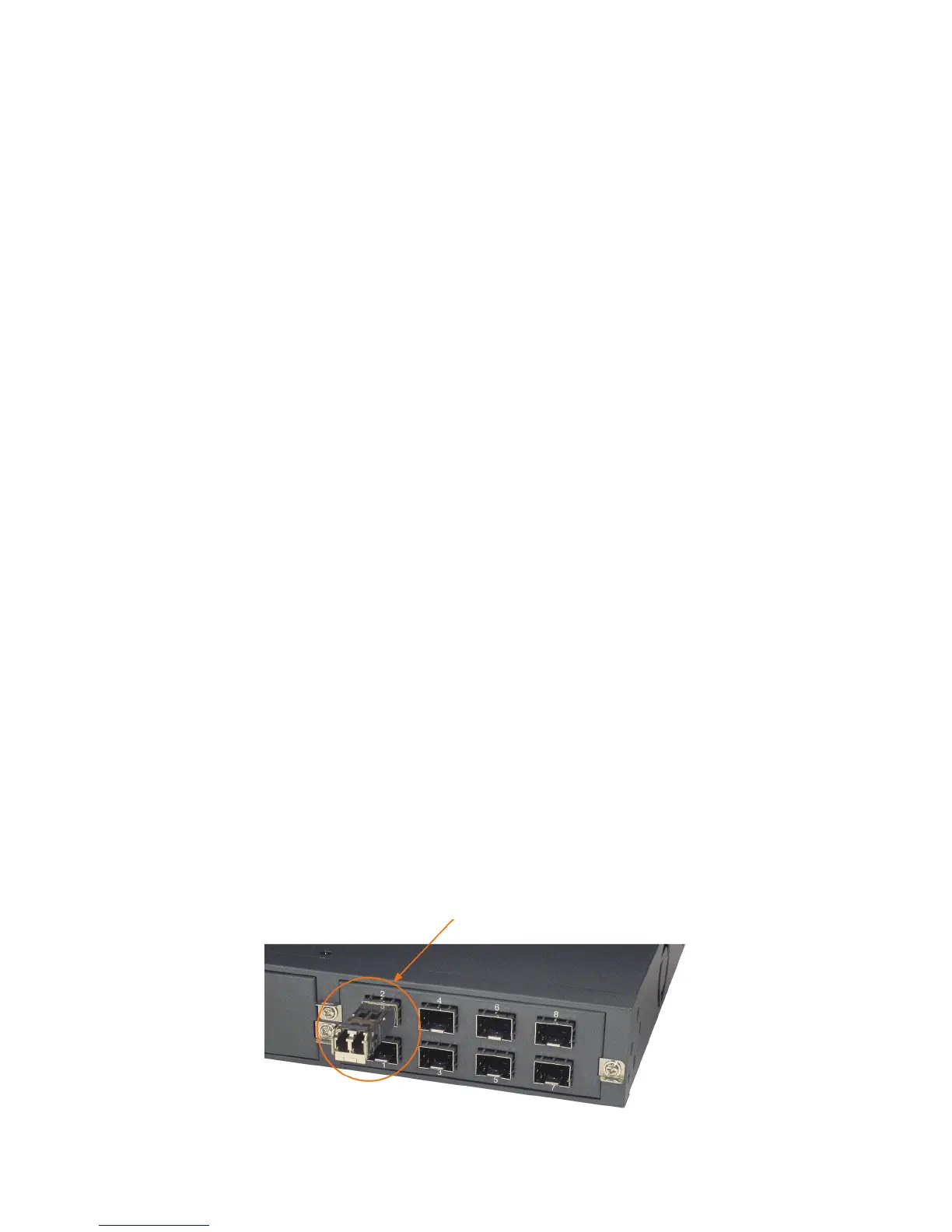
To install an SFP module, the steps are as follows:
1. Turn off the power to the switch.
2. Insert the SFP module into an available SFP slot. Normally, a bail is provided with the module. Hold the
bail and insert the module


 To Next Page