www.versitron.com -28- SG71090
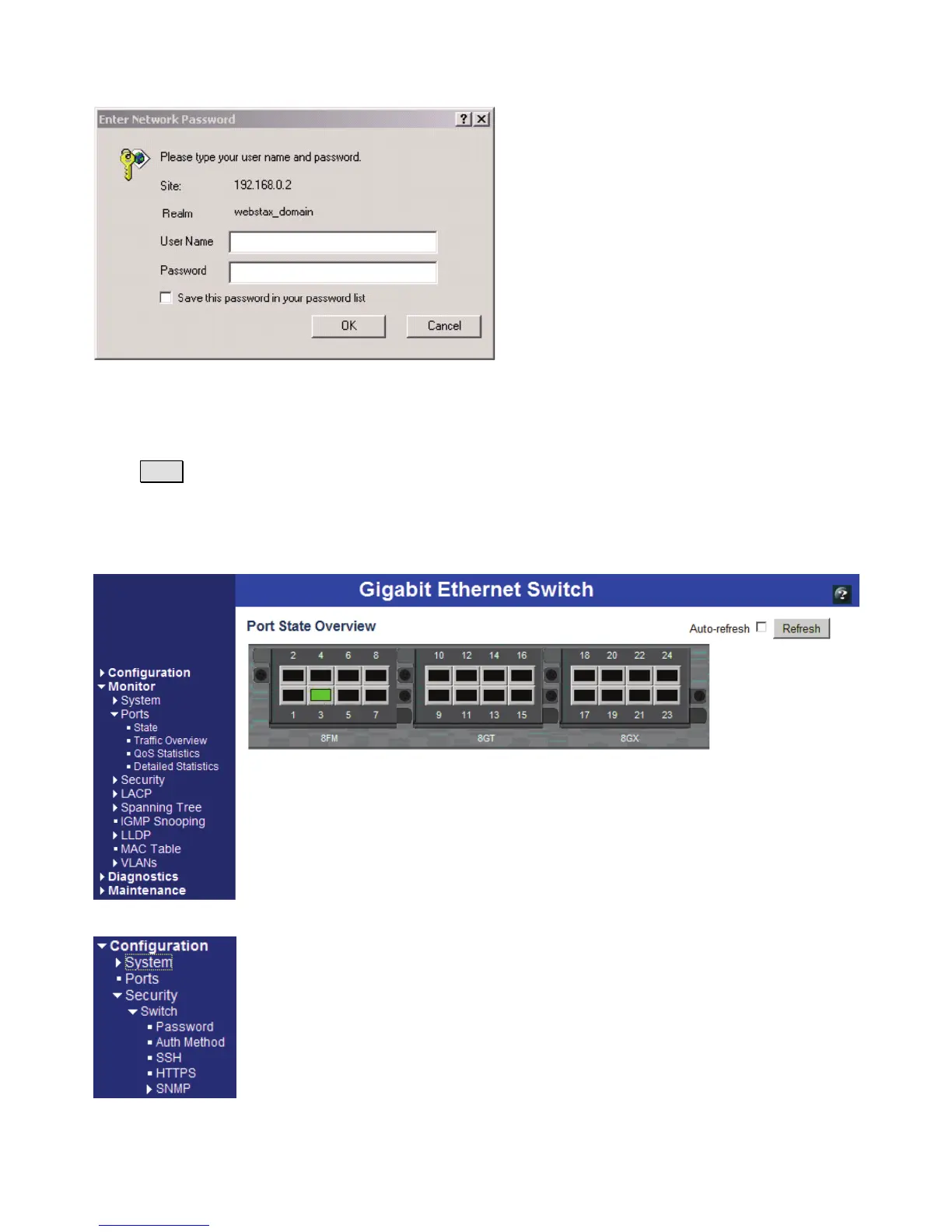
Enter the following default values in the login page:
Fixed User Name: admin
Default password: No password is required.
Click OK to login into the switch.
The following page is displayed after a successful login:
Select [Configuration] -> [Security] -> [Switch] -> [Password] to configure a new password


 To Next Page