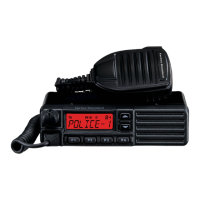
VX-2100/-2200
(
VHF
)
Service Manual 14
6. TX Power
Open the “Basic2” window, this parameter is to align the Transmit Output (Hi/Low) Power.
The factory default is as followings.
50 W model 25 W model
High 50 W 25 W
Low-High 25 W 12.5 W
Low-Middle 10 W 5 W
E-Low –– 1 W
The procedure for the alignments of the TX Power is followings.
7. Maximum Deviation <Wide> / <Narrow>
This parameter is to align the Maximum Deviation (Wide/Narrow). The “TX VCO Tune Voltage” must be done before
this alignment is started.
1. Press the “Start” button to start the alignment.
2. Set the value to get desired deviation (Wide: 4.2kHz,
Narrow: 2.1kHz) on the deviation meter by changing
the slide bar on your PC.
3. Press the “OK” button after getting the desired Devia-
tion to save the re-aligned value, the alignment of the
MAX DEVIATION is accomplished.
Alignment
1. Press the “Start” button to start the alignment then the
radio will transmit on the center frequency. The TX
Power Alignment window will open on the PC.
2. Set the value to get desired output power by left/right
arrow key, drag the slide bar by mouse or direct num-
ber input.
3. Press the “OK” button on the alignment window to
save the re-aligned value, the alignment of the TX
POWER is accomplished.


 To Next Page
 Loading...