Edge 120 Digital Executive Telephone User Guide Page 29
4.4. Press
to advance to the next character position or to
enter a space.
4.5. Then press [save].
5. Press [send] to send the message to the called extension.
Operation – Sending a Voice Message (voice mail system
required)
1. You place a call to an extension and get no answer or busy…
CALLING STA xxx
cbck msg
STA xxx BUSY
cbck msg next
2. Press [msg]. When the DX-120 Voice Mail system is equipped,
the options in the display change to add this option.
MESSAGE TYPE
callme vmsg prep
3. Press [vmsg]. The connection is diverted immediately to the
DX-120 Voice Mail system.
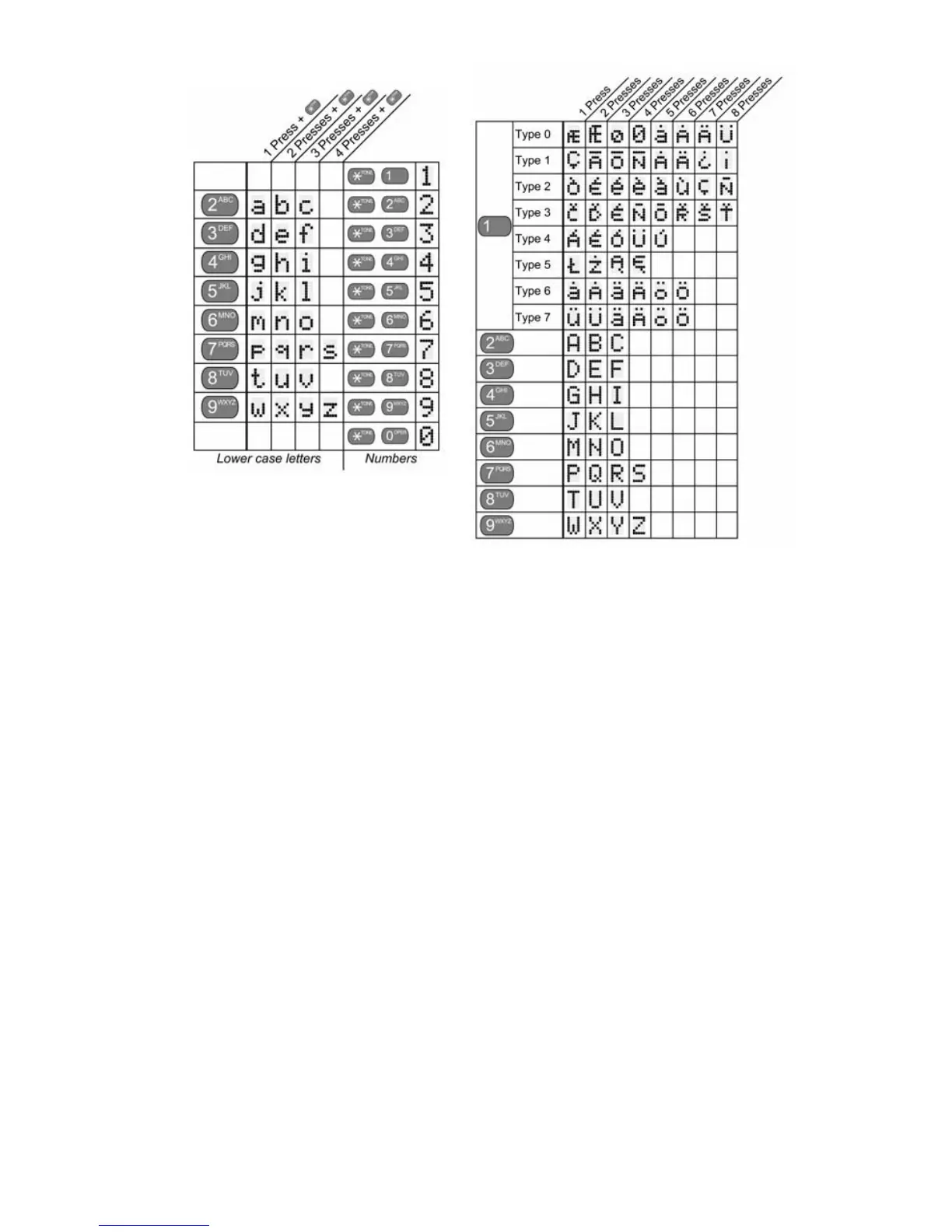
Number + = lower case letter



 To Next Page